
Set Up a Content Filter for VPN-to-WAN Traffic
IAM Group Policy allows administrator to define custom firewall filter rules. The Group Policy can be applied to VPN accounts and filter the traffics in the VPN-to-WAN direction. The following example demonstrates how to set up a group policy that utilizes the IAM Firewall policy (e.g., blocking Facebook) in the VPN-to-WAN direction.
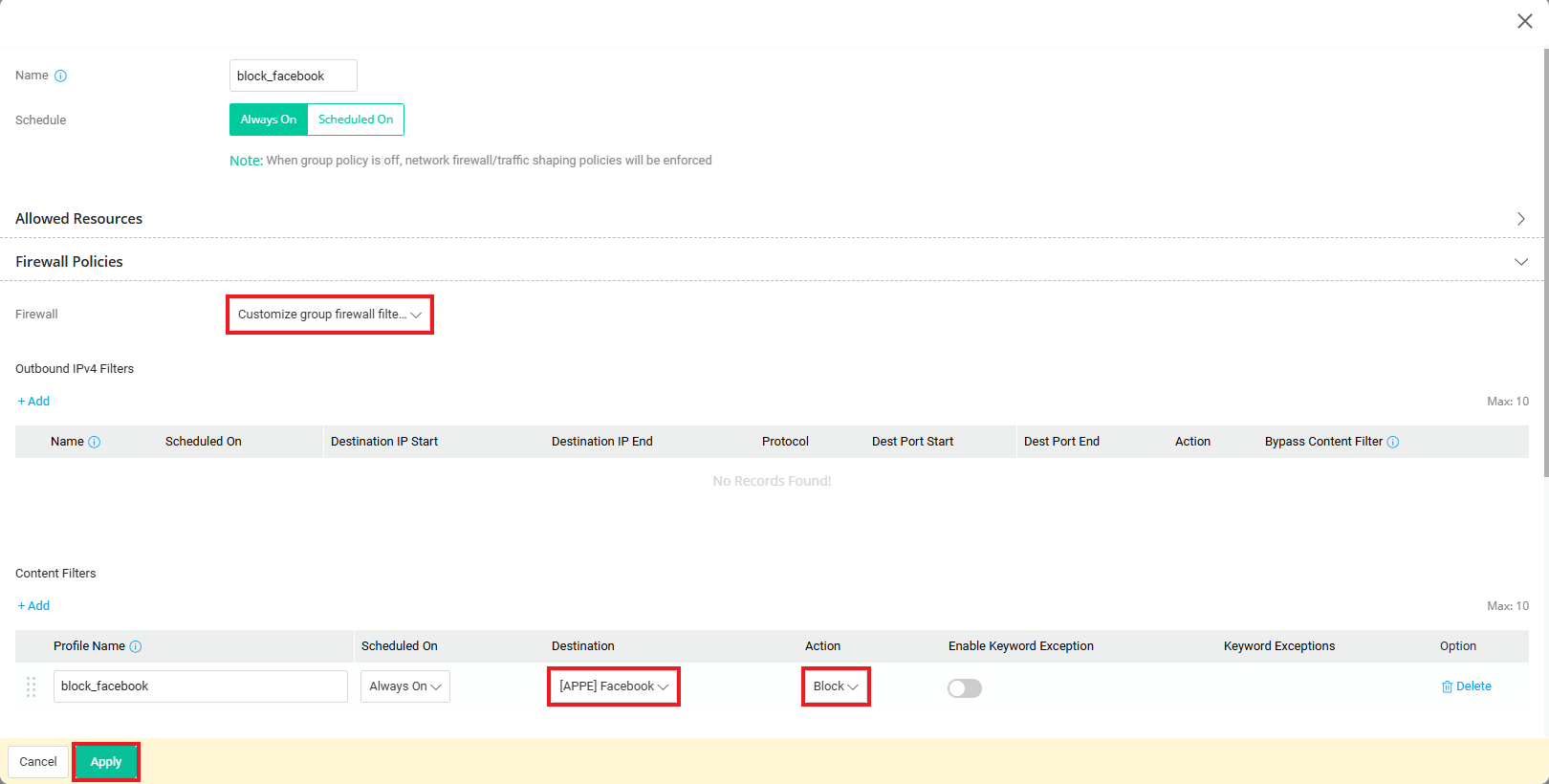
- Go to IAM / IAM Policies / Group Policies page, click Add to create a Group policy as follows:
- Enter the Name of the policy profile.
- At Firewall Policies interface, select Customize group firewall filters.
- At Content Filters, click Add to apply content filter and choose Block to restrict user's Internet access.
-
Click “Apply” to save the profile.
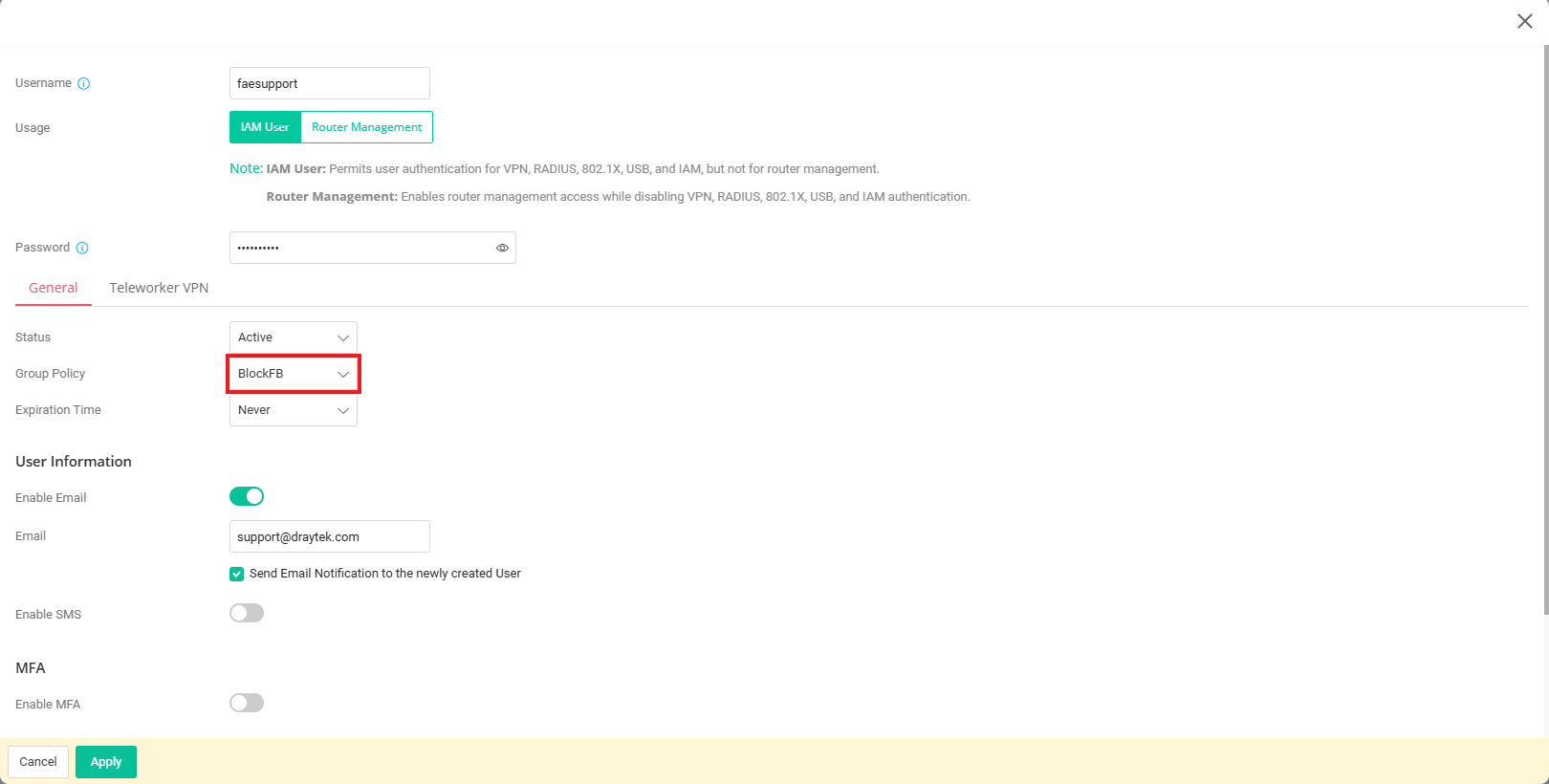
- Go to VPN / Teleworker VPN page, click “Add” to create a VPN user profile as follows:
- Enter Username and Password.
-
In General tab, select the Group Policy that we just created in Step 1.
-
Finish the remaining steps for establishing the VPN tunnels. Please refer to the link for detailed instructions:
IKEv2 VPN from macOS to Vigor Router
OpenVPN to Vigor Router by using the self-generated certificate
WireGuard VPN from Windows to Vigor Router - Click OK to save the profile.
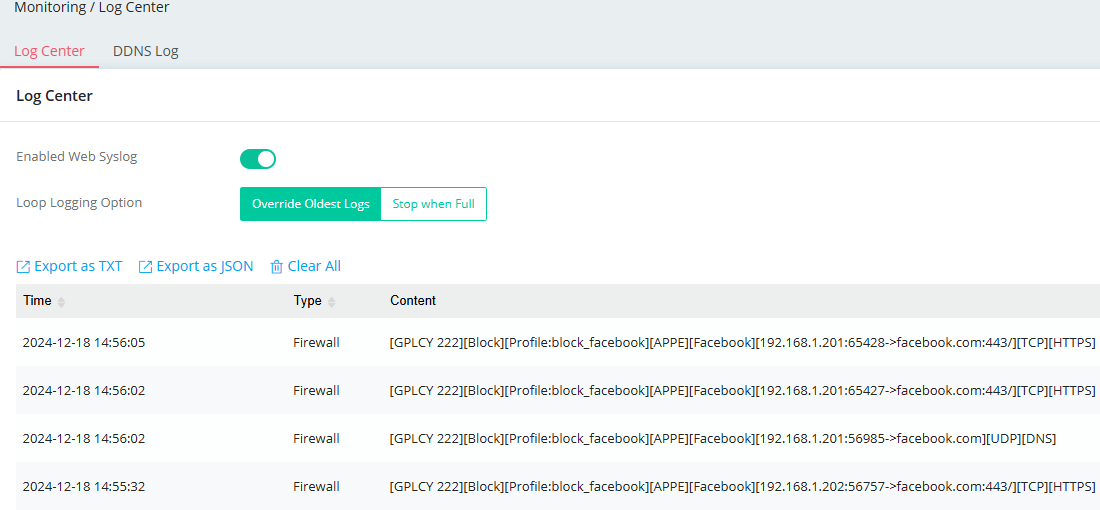
Once the VPN tunnel is established, VPN users are restricted by the Group policy and cannot access the Facebook website.
Published On:2025-03-25
ShareWas this helpful?