
Allow VPN Access Only from Specific Countries Using GeoIP Object
By combining Country (GeoIP) Object with VPN Access Control, DrayOS5 Vigor routers can restrict VPN Server access to specific countries. This provides a simple and effective way to reduce unauthorized VPN access while maintaining flexible remote access control.
Example Policy
Allow VPN connections only from Taiwan (TW) IP addresses and block all other countries.
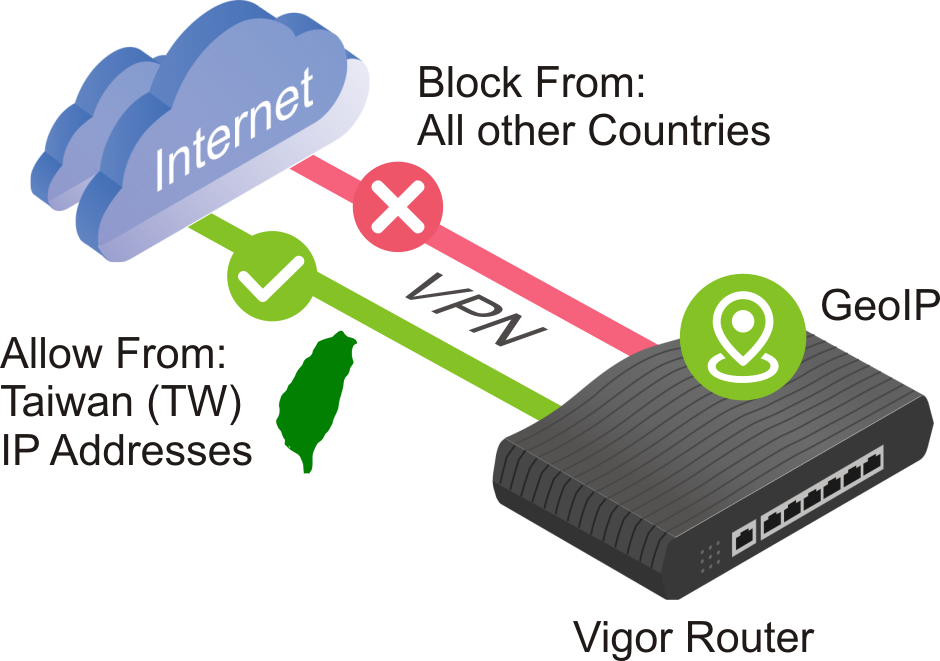
Supported Models and Initial Firmware Versions
Configuration Steps:
1. Upgrade the GeoIP Database to the Latest Version
Go to System Maintenance > System Upgrade > GeoIP Databases and click Upgrade Now. This ensures that the router can correctly identify the country associated with source IP addresses.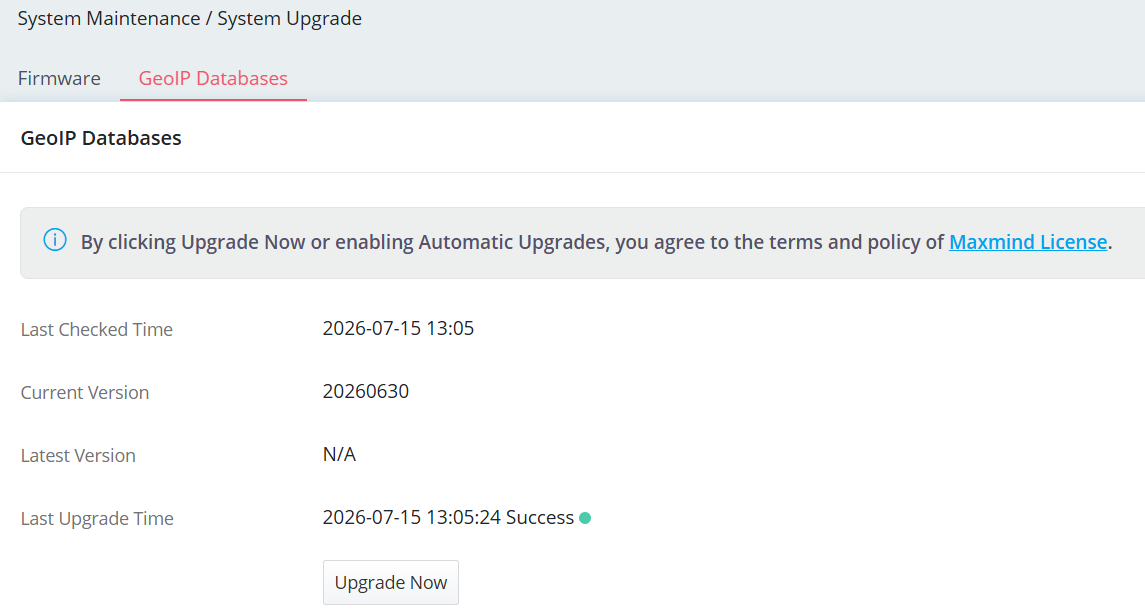
2. Create a Country (GeoIP) Object
Go to Configuration > Object > Country Object and click +Add.
- Enter a Profile Name.
- Click +Add and search for the desired country.
- Select the country and click Close.
- Confirm the country is listed in the object.
- Click Apply to save the configuration.
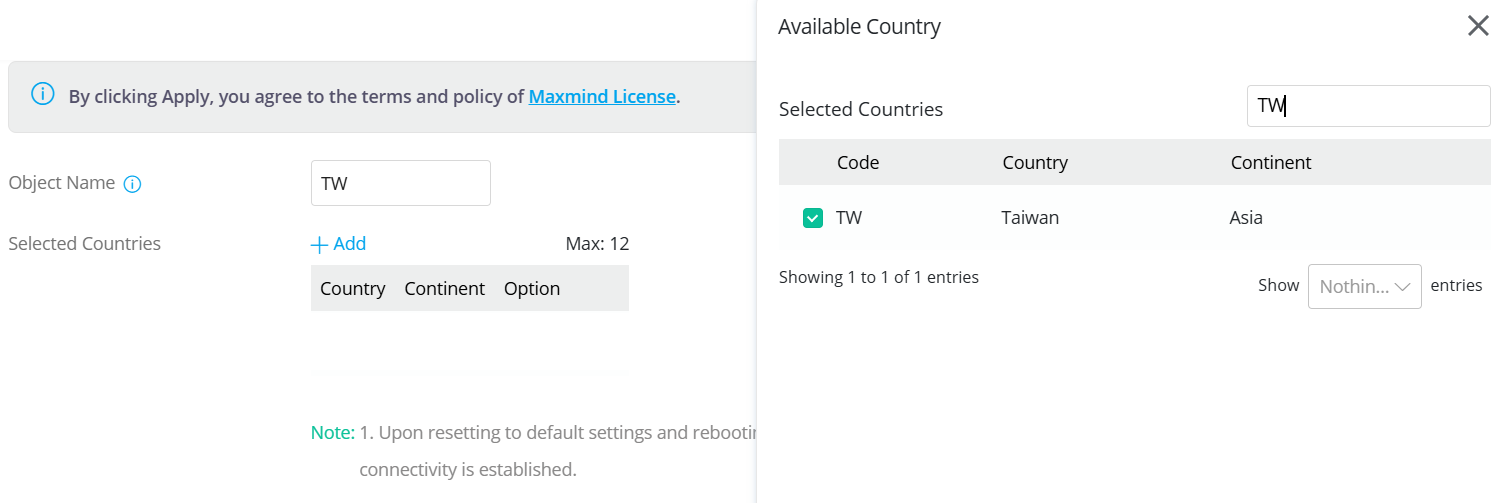
3. Configure VPN Access Control
Go to VPN > General Setup. Select Allow List as the VPN Access Control Mode, then add the Country Object created in the previous step.
This rule allows VPN connection requests only from Taiwan (TW) IP addresses.
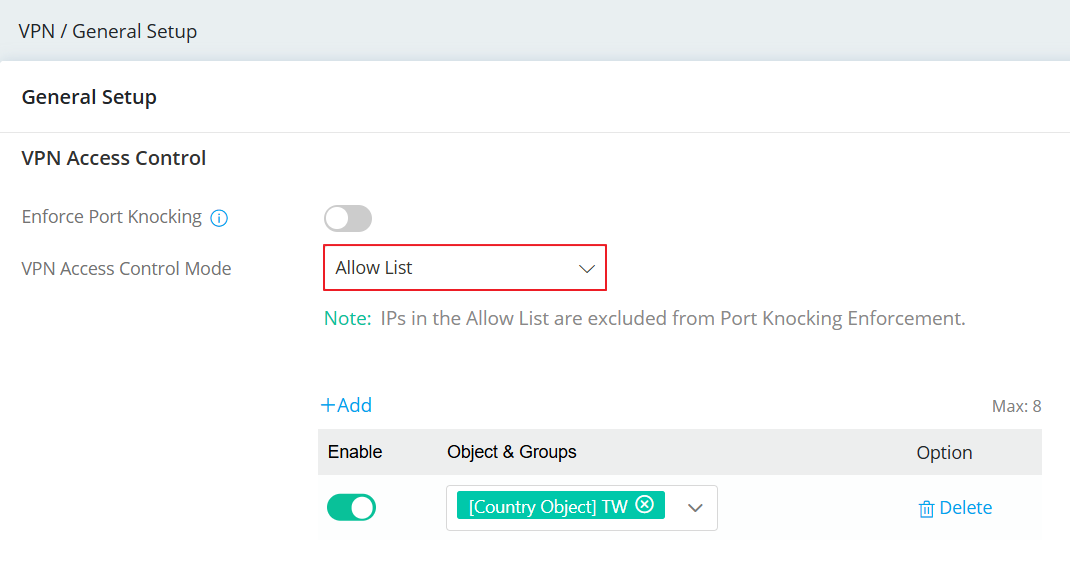
4. Verification
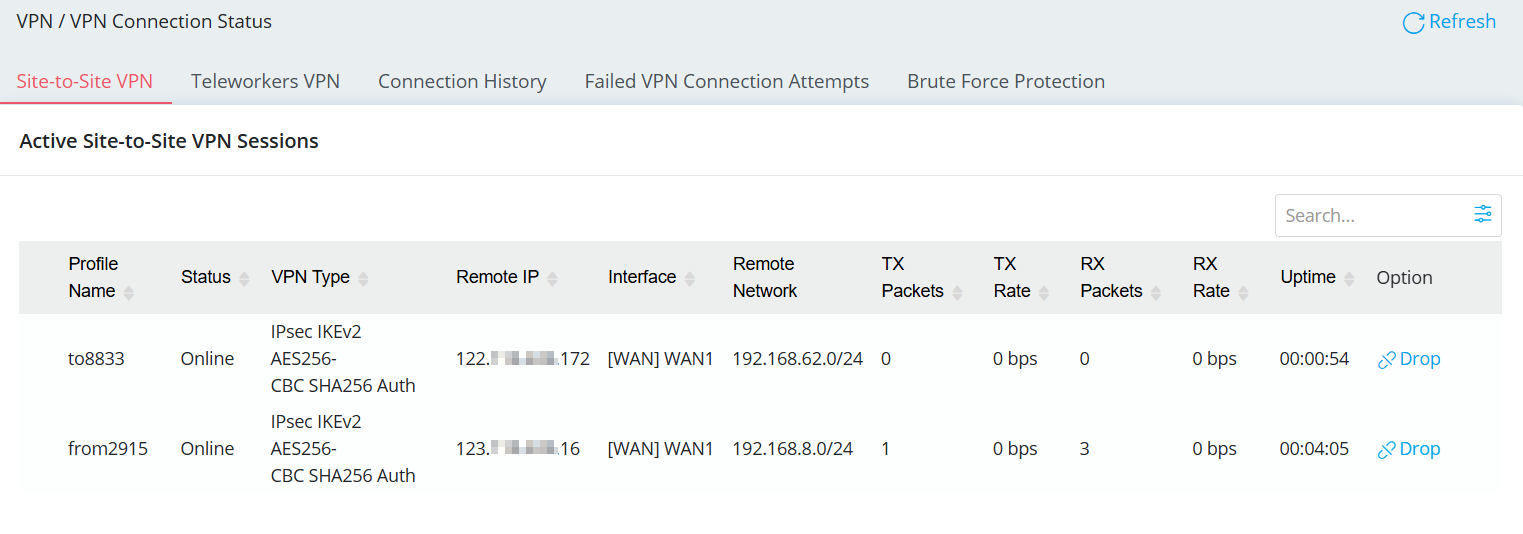
Go to VPN > VPN Connection Status and verify that the VPN connection is established successfully after applying the VPN Allow List.
When the peer's source IP matches the VPN Allow List, the Log Center will generate the following log:
[DOS][Allow][VPN][ACL]

Published On:2026-07-17
ShareWas this helpful?