
Allow Specific Domains to Bypass the Hotspot Web Portal Quota Policy Bandwidth Limit
Starting from version 5.3.2, Vigor2136 supports domain-based bandwidth control within hotspot quota policy profiles. This feature allows users to define separate bandwidth limits for specific domains or IP addresses in a quota policy.
This feature is useful in public Wi-Fi environments like holiday parks, cafés, or shopping malls, where users typically have limited bandwidth (e.g., 2Mbps/2Mbps). If a business wants users to access their own website or paid services with better performance, they can assign higher bandwidth limits to specific domains. This ensures faster and more reliable access to important sites, without affecting the default limits for other traffic.
Below is the configuration example for this case.
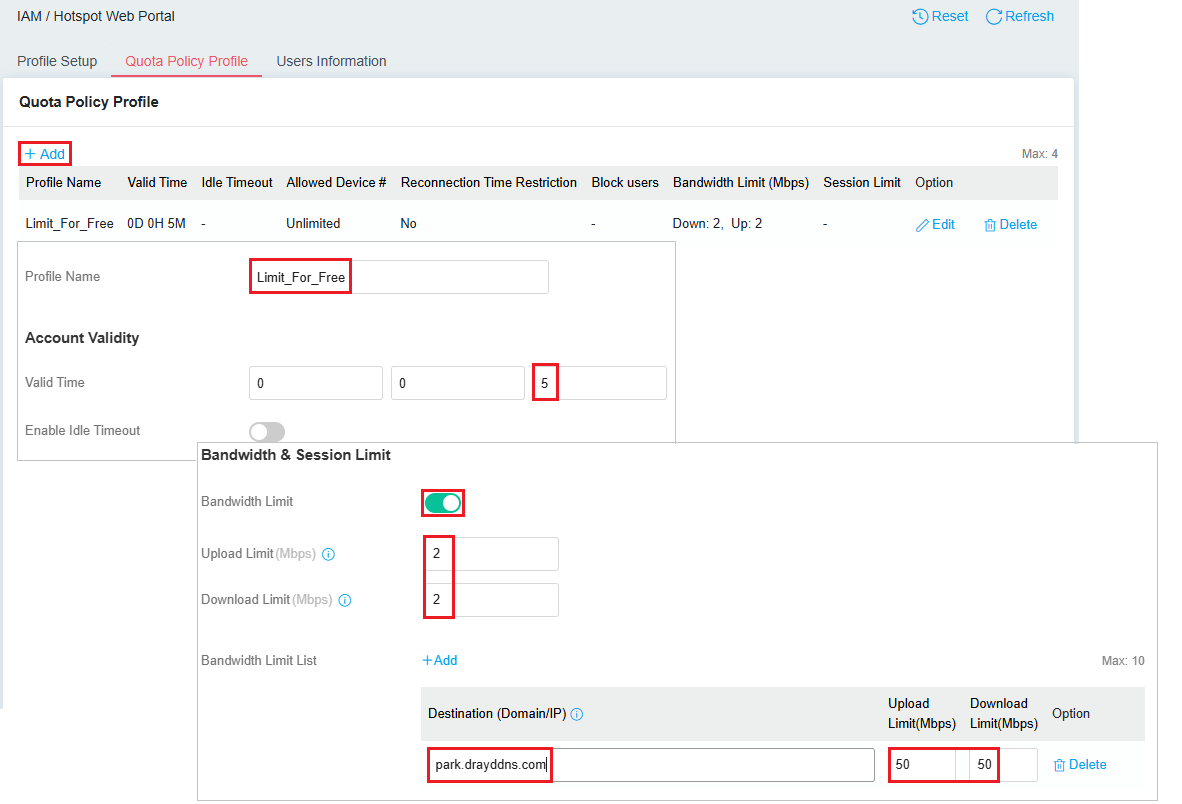
Create a Quota Policy Profile
Go to IAM / Hotspot Web Portal to create a quota policy profile.
In the Quota Policy Profile tab, click +Add to create a quota policy profile.
- Enter a profile name.
- Set an account validity time.
- Enable the Bandwidth Limit option and set the limit. Here we set 2Mbps/2Mbps as the default bandwidth for each hotspot user.
- In the Bandwidth Limit List, add holiday park's website and set the limit to 50Mbps/50Mbps.
Create a Hotspot Profile and apply the Quota Policy Profile
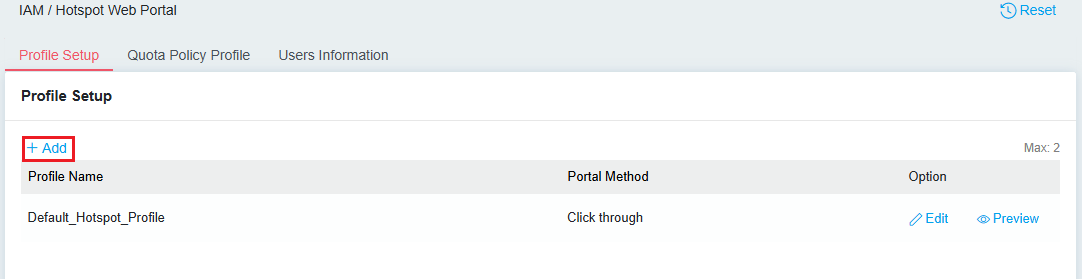
In the Profile Setup tab, click +Add to create a hotspot profile.
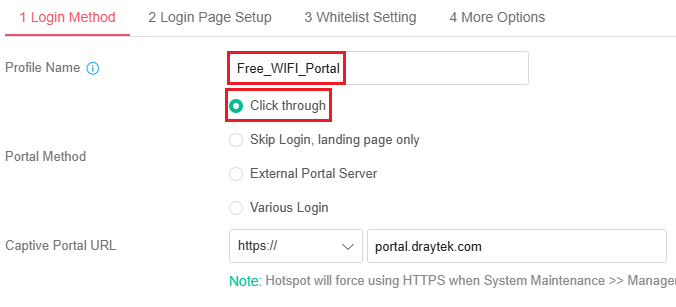
Login Method
- Enter a profile name.
- Select a portal method. Here we set Click through.
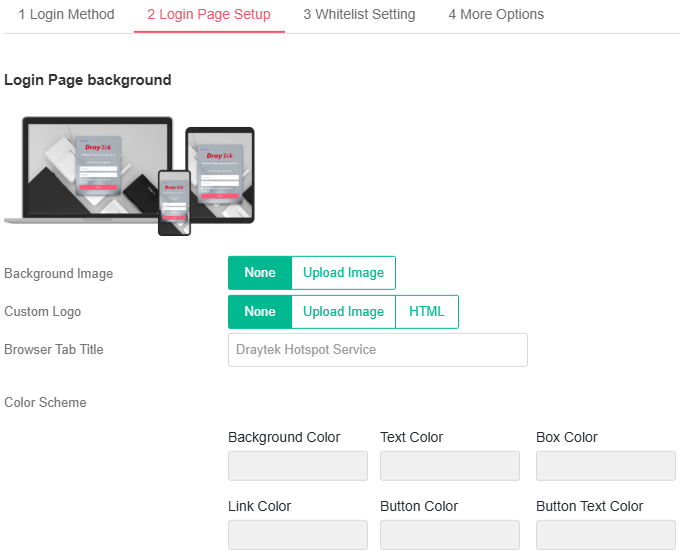
Login Page Setup(Optional)
- Customize the hotspot web portal page.
More Options
- Choose the quota policy profile in the login method we use.
- Enter the holiday park's website as the landing page.
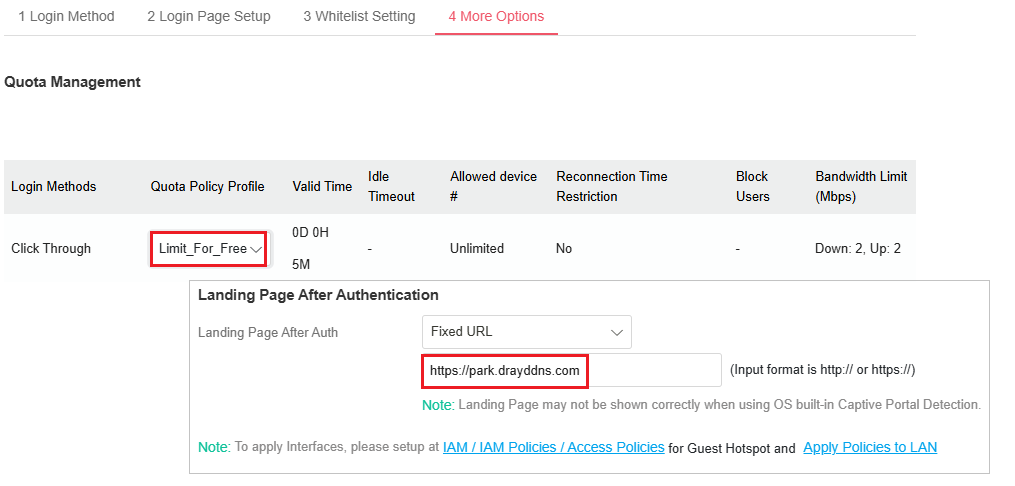
Apply the Hotspot Profile in IAM Policies
Go to IAM / IAM Policies. In the Access Policies tab, click +Add to define an access policy.
- Enter a name for this access policy.
- Select Guest Hotspot as the access control mode.
- Choose the hotspot profile created previously.
- Set the login session lifetime of each user.
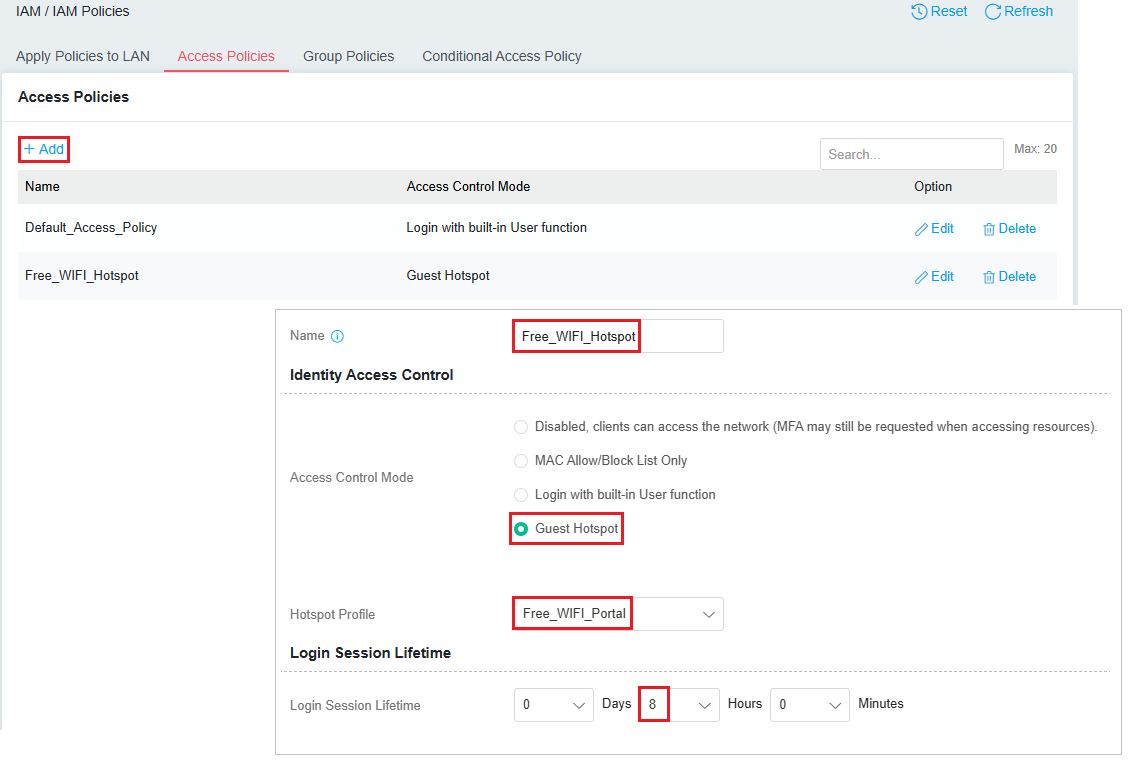
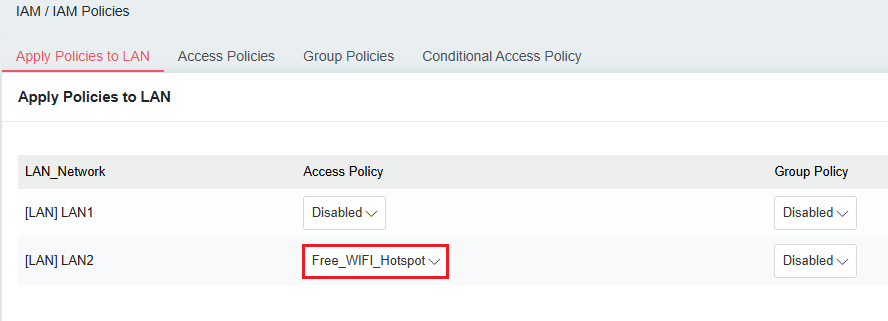
In the Apply Policies to LAN tab, apply that access policy to the interface the free WIFI belongs to.
Published On:2025-07-30
ShareWas this helpful?