
Threat Protection - Safe Browsing
DrayTek Threat Protection delivers comprehensive, multi-layered security to safeguard your network and all connected devices. It includes a cloud-based management portal that enables administrators to centrally manage and monitor devices across the network.
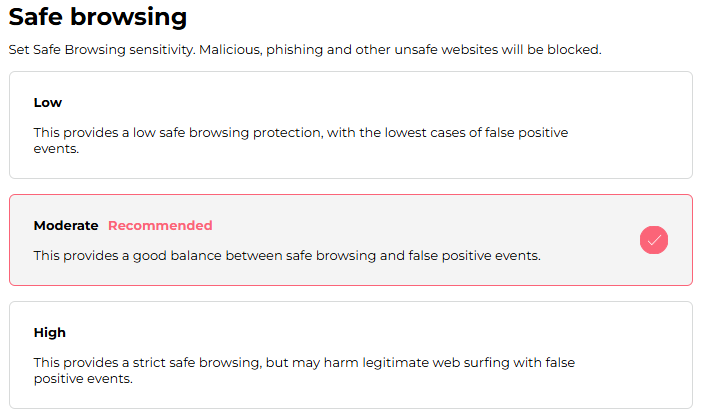
Safe Browsing is a key feature that helps prevent access to malicious websites. By configuring the sensitivity level, administrators can control access based on URL/IP reputation scores, ensuring that users can only reach sites that meet the defined security threshold.
Below are the defined security thresholds for each level:
- Low -> Allows access to websites with a reputation score higher than 20
- Moderate -> Allows access to websites with a reputation score higher than 30
- High -> Allows access to websites with a reputation score higher than 40
We can configure the Safe Browsing sensitivity level for each user or group on the Assets page. For devices that are not assigned to any user or group, it can be configured on the Settings page.
By default, the Moderate level is selected, providing a good balance between security protection and minimizing false positives.
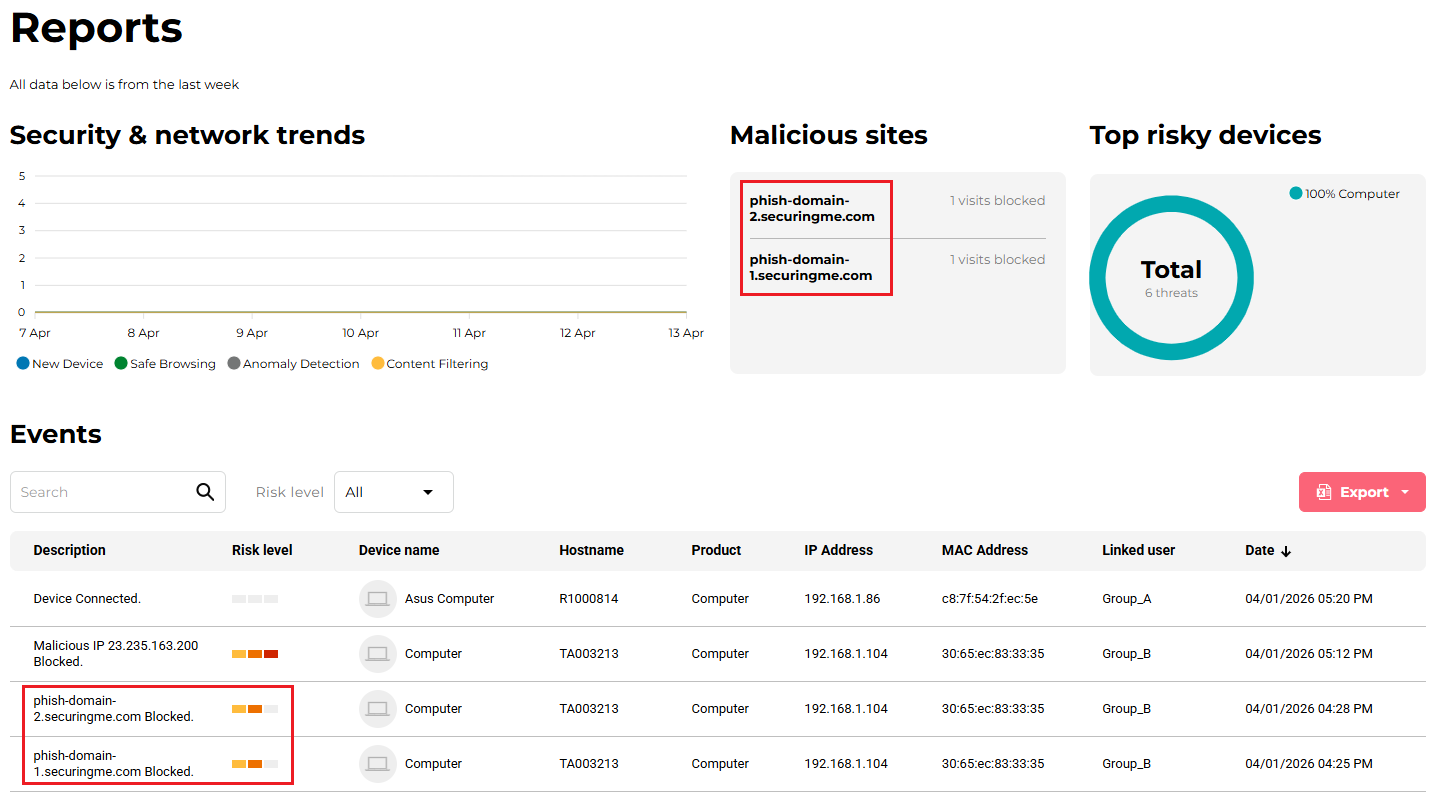
On the Reports page, an event and the corresponding URL are recorded when a device attempts to access a website that has received a poor reputation score.
Published On:2026-05-05
ShareWas this helpful?