
Saving Router Syslog to Internal Storage
Starting from firmware version 4.4.5, Vigor3912S will support saving Syslog messages to the router's internal storage, including the built-in SSD, and the USB Disk. This enhancement allows users to retain log information even without an external Syslog server, making it easier to troubleshoot and track events directly on the device.
This article will demonstrate the configuration steps.
1. Navigate to Linux Applications >> Log Collector >> Setup. There are two options for Local Storage Type:
Select the desired Local Storage Type and the Syslog type you wish to save.

2. Navigate to Linux Applications >> Log Collector to view the logs. You can select a specific time period and enter keywords in the filter field, then click Search to find specific log entries.
Examples:
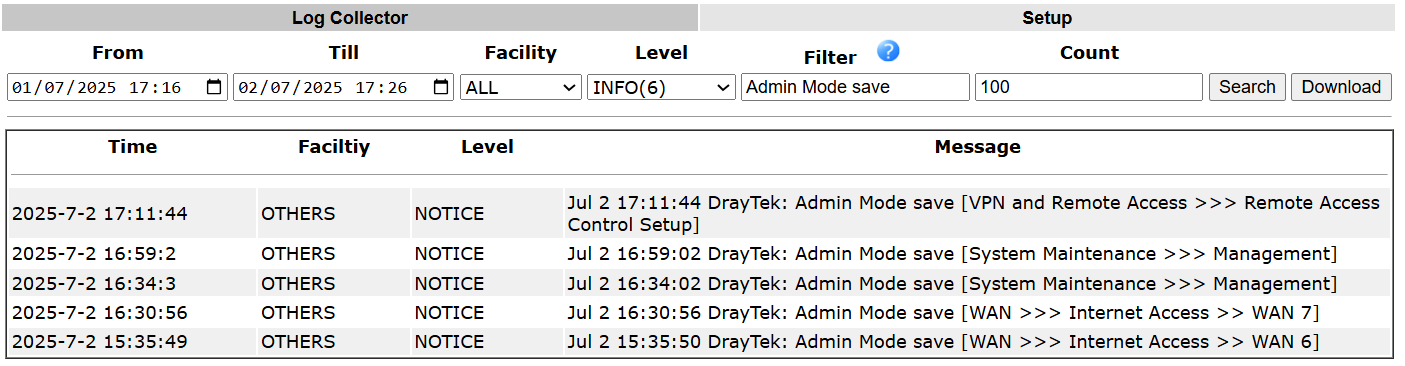
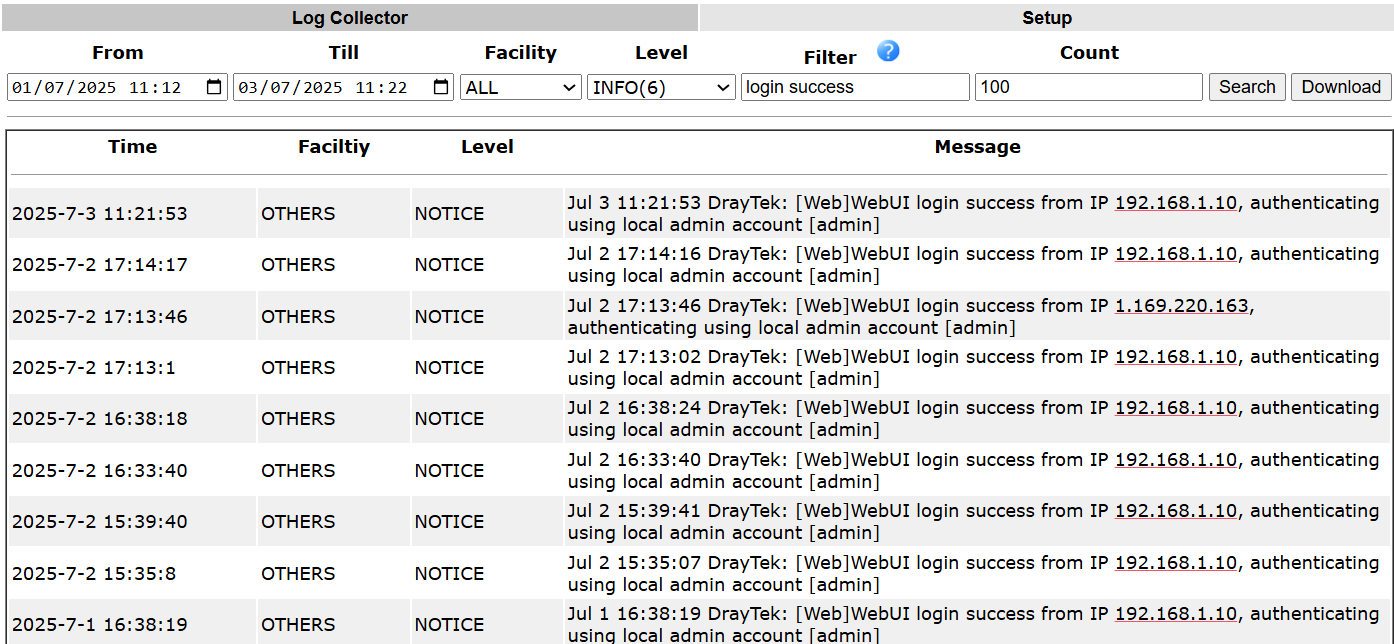

Please note that both SSD and USB storage have capacity limits. If you wish to retain a complete log history, it is recommended to back up/ download the logs regularly.
Published On:2025-07-21
ShareWas this helpful?