
VRRP on Vigor Router
Vigor Router supports High Availability (HA), which allows network administrators to add another Vigor Router to the network for hardware redundancy. While HA works only between Vigor Routers, starting from firmware version 4.4.5 or 4.5.*, Vigor Router also supports the VRRP (Virtual Router Redundancy Protocol). This enables administrators to configure redundancy not only between different Vigor models but also with routers from other brands that support VRRP. Please note that the VRRP routers will have individual Internet connection and different configurations for the environment needs.
This article demonstrates how to set up VRRP between Vigor3912 and Vigor2865.
Supported Model and Firmware version:

1️. Ensure Unique LAN IPs in the Same Subnet
Each VRRP router must have a unique LAN IP address within the same subnet. If a DHCP server is used to assign IP addresses to LAN hosts, make sure the VRRP Virtual IP is set as the default gateway in the DHCP server configuration.
2. Configure VRRP
Go to Applications >> High Availability, select VRRP as the protocol, and click Index 1 to edit the VRRP settings.

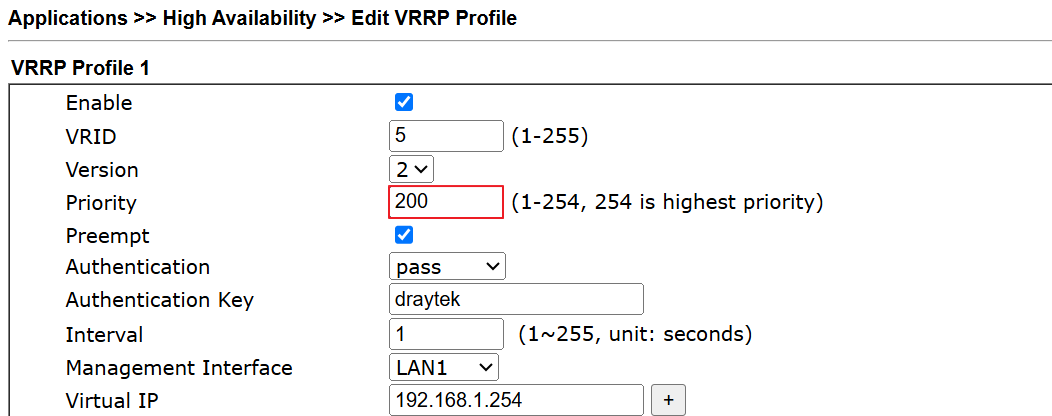
In the VRRP Profile, configure the following:
Note: If multiple routers have the same priority, the router with the lowest IP address will become the Master.
When a higher-priority router comes back online, it automatically takes over the Master role from the current (lower-priority) Master. It ensures the best router handles the traffic.
Even if the higher-priority router recovers, the current Master will remain in place, and the role will not switch automatically. This prevents traffic interruption due to unnecessary failovers.
In this setup:
Master:
Backup:

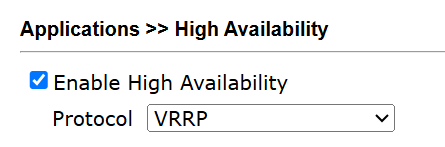
3. Enable VRRP
On both routers, check Enable High Availability, then click OK to save. The routers will begin VRRP communication and negotiate their roles.
4. Check VRRP Status
Go to Applications >> High Availability, then click Status to view current VRRP role and status.


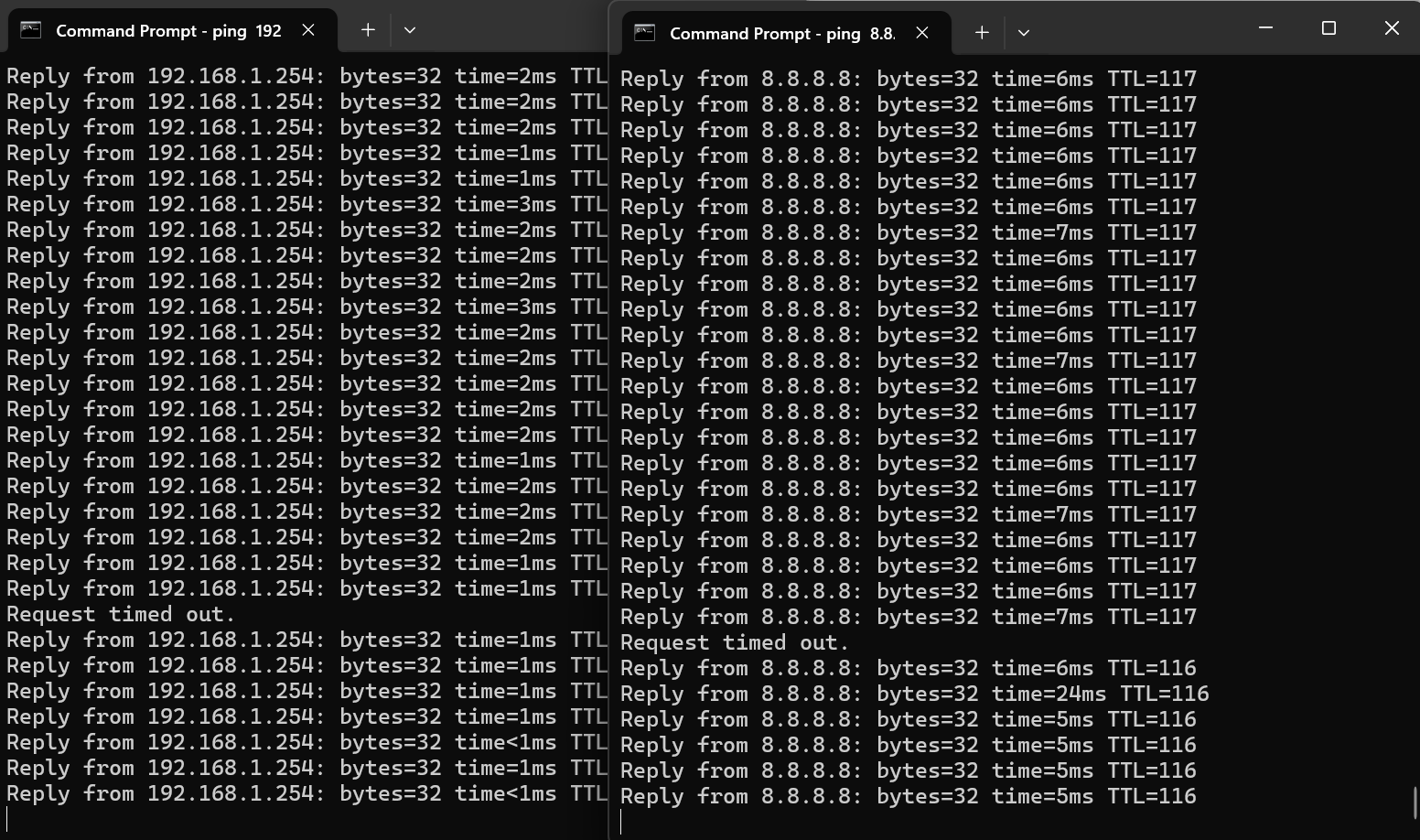
5. Failover Test – Power Off Master (Vigor3912)
When Vigor3912 is powered off, Vigor2865 becomes the new Master. Only one ping timeout was observed during the failover process.

6. Recovery Test – Power On Master (Vigor3912)
When Vigor3912 is powered back on, it resumes the Master role, and Vigor2865 becomes the Backup again.
Two ping timeouts occurred during the failback process.


Troubleshooting Tips:
If both routers identify themselves as Master or both as Backup, this indicates a configuration issue or a problem with VRRP communication. Please check the following:
1. Verify VRRP Configuration:
2. Capture packets on the Backup Router to ensure it can receive the VRRP advertisement packets from the Master.
3. If Authentication is enabled, try disabling it, then disable and re-enable the Enable High Availability option to reinitialize VRRP communication.
4. Check the Syslog of Vigor Router by Syslog Utility. The VRRP logs can be found under the Others tab.
Published On:2025-07-15
ShareWas this helpful?