Powerful Wi-Fi 7 Access Point for Advanced Network Efficiency
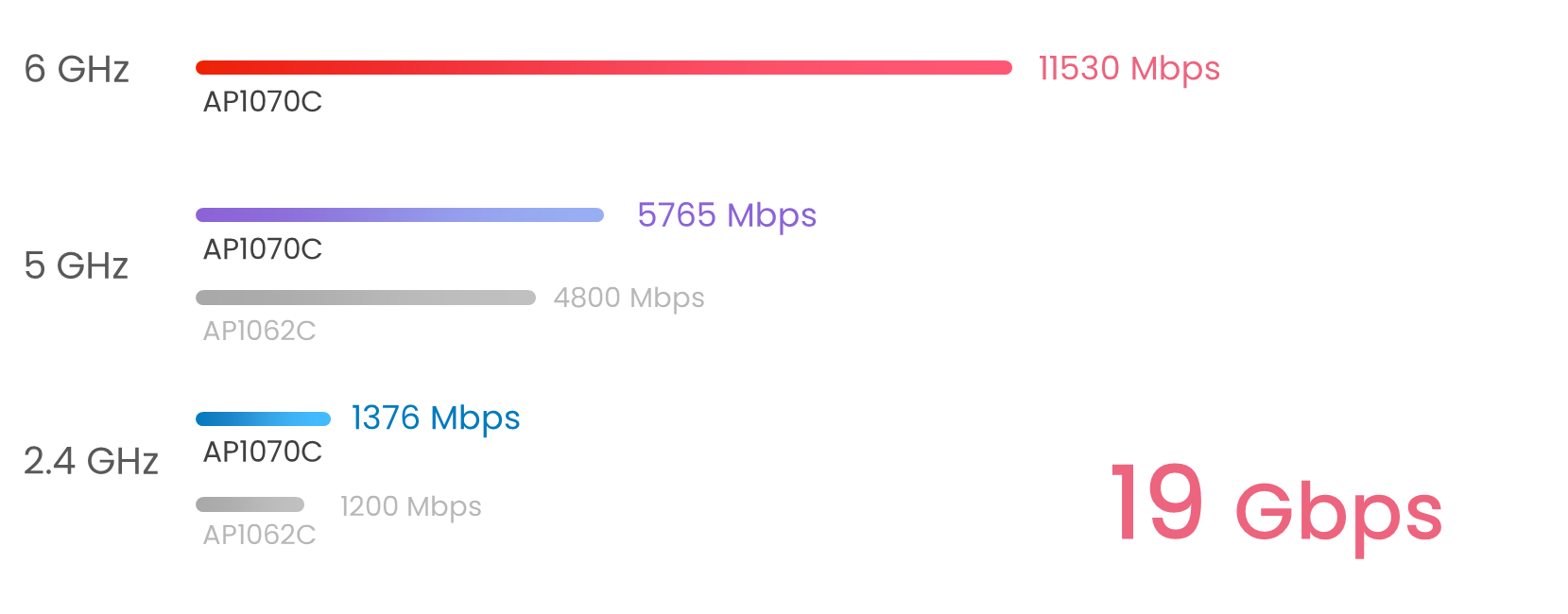
VigorAP 1070C is a tri-band Wi-Fi 7 access point, offering link rates of up to 1376 Mbps on 2.4GHz, 5765 Mbps on 5GHz, and 11530 Mbps on 6GHz. Designed for business environments requiring high-speed connectivity, it supports up to 512 wireless clients, ensuring scalability for offices, classrooms, and other business spaces.
Featuring Multi-Link Operation (MLO) for multi-band transmission, it delivers ultra-low latency suitable for cloud applications and video conferencing. Together with OFDMA and MU-MIMO technologies, it ensures efficient, high-performance networking.
Tri-Band
Concurrent 2.4GHz, 5GHz, and 6GHz
BE19000
1,376Mbps in 2.4GHz
5,765Mbps in 5GHz
11,530Mbps in 6GHz
2.5GbE/10GbE LAN
Multi-Gig & 10G Ready
Up to 512
wireless clients
shared across all radios
Interface
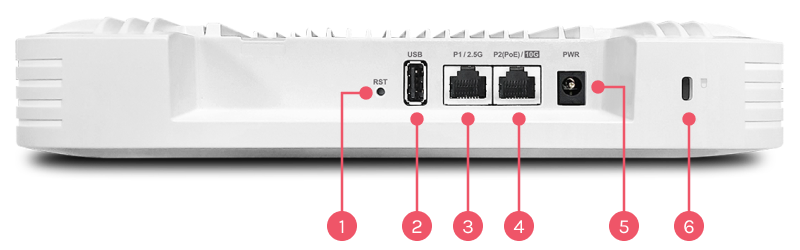
1Factory Reset Button
21x USB 2.0
3LAN: 1x 2.5G/1G/100M/10M RJ-45
4LAN: 1x 10G RJ-45
PoE-PD Support
5DC Power Input
6Security Lock
Key Features

Wi-Fi 7
Features enhanced OFDMA and Multi-Link Operation (MLO) technologies to improve wireless efficiency and performance.

Band Steering
Redirect 5GHz-capable devices to the 5GHz radio to get a faster speed. Learn more

Mesh
Easily link to other VigorAP to expand the wireless network. Learn more

Assisted Wi-Fi Roaming
Solve the sticky client problem and improve Wi-Fi roaming experience. Learn more

Multiple SSIDs
Mapping Wi-Fi clients to different VLANs and apply different security policies. Learn how

Wi-Fi Scheduling
Schedule Wi-Fi On and Off to control wireless access and save energy.

Airtime Fairness
Equalize the transmission time of each client so the legacy devices won't slow everyone down. Learn more

Virtual AP Controller
All-in-one management platform for VigorAP 1070C to maintain and monitor the VigorAPs.

Multi-Link Operation (MLO)
A Wi-Fi 7 feature that combines multiple bands simultaneously to increase throughput, reduce latency, and improve reliability.

Zero-Wait DFS
Allow Wi-Fi 7 devices switch channels instantly without losing connection when radar signals are detected.

Local RADIUS Server
User profile database for local and external 802.1x authentication.
Central AP Management
Manage, maintain, and monitor VigorAP 1070C from the DrayTek routers. Learn more
What's New in DrayOS 5-based VigorAP 1070C
Notification Service
DrayOS 5 now supports push notifications for the VigorAP 1070C and other DrayOS 5 Access Points. With the DrayTek Wireless App (version 1.3.3 or later), network administrators can receive instant notifications for key events such as client disconnections, mesh node offline status, and login attempts. This feature makes it easy for admins to stay updated on wireless network events directly from their mobile devices.

MAC Filtering for Access Control Lists
To bolster network security, DrayOS 5 introduces MAC Filtering for Access Control. This feature allows administrators to control which devices can connect to the network by adding their MAC addresses to a profile. To enable and configure MAC Filtering, follow these steps:
- Go to Security >> MAC Filtering Profile to create a new profile.
- Add device names and corresponding MAC addresses.
- Apply the MAC Filtering settings to the SSID configuration under Configuration >> Wireless LAN to manage access control.

Streamlined Wireless LAN Configuration
In DrayOS 5, the process of setting up wireless network parameters has been simplified. Unlike DrayOS 4, where configurations for SSID, Radio Settings, Roaming, and other options had to be adjusted across multiple pages, DrayOS 5 consolidates all wireless settings into one easy-to-manage page. Administrators can now configure everything from Configuration >> Wireless LAN, providing a more seamless setup experience.

Comprehensive Client Monitoring
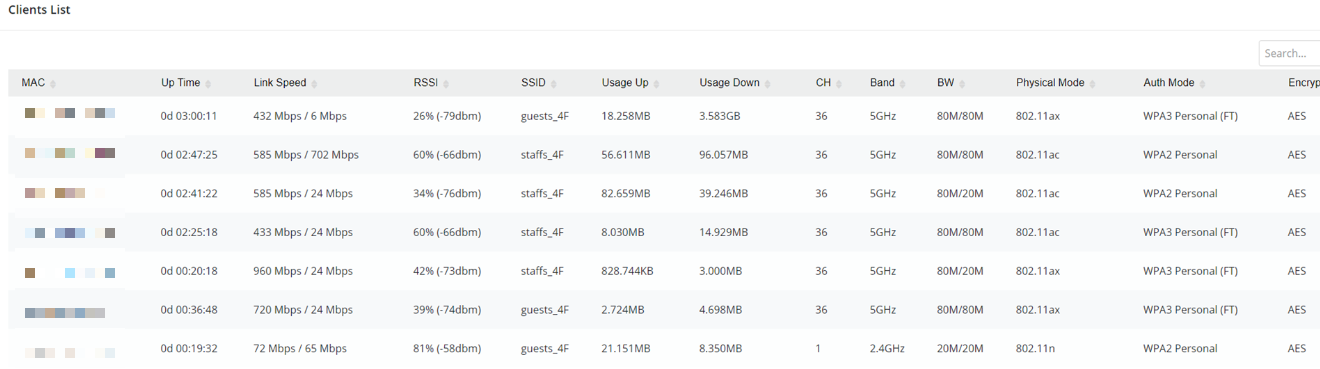
With DrayOS 5, monitoring the status of wireless clients has become more efficient. In previous versions, client information was split between the 2.4GHz and 5GHz settings. Now, all client details can be accessed on a single page under Monitoring >> Clients List, which provides a complete overview of client connections and usage. This enhancement makes it easier to manage and track network clients in one unified location.
Up to 19 Gbps Tri-Band Wi-Fi 7
The VigorAP 1070C delivers combined wireless link rates of up to 19 Gbps across 2.4GHz, 5GHz, and 6GHz bands. Equipped with Wi-Fi 7 technologies including Multi-Link Operation(MLO), 4K-QAM, Multi-RU (MRU) and 320 MHz channel support, it enables higher capacity, lower latency, and more efficient multi-device connectivity. Together with 10GbE uplink capability, it is ideal for modern business environments requiring high-performance wireless networking.
Wi-Fi 7 Capacity
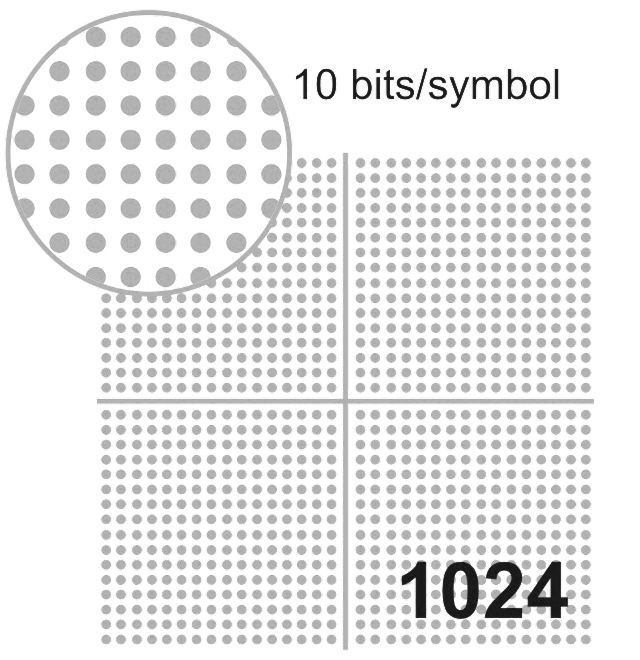
Wi-Fi 7 with advanced 4K-QAM technology pushes modulation from 1024-QAM in WiFi 6 to 4096-QAM, increasing data density from 10 bits per symbol to 12 bits per symbol. This upgrade delivers up to 20% higher throughput , ensuring smoother real-time video calls and crystal-clear 4K/8K streaming experiences.

Wi-Fi 7
Wi-Fi 6
Multi-Link Operation (MLO) allows devices to leverage the 2.4 GHz, 5 GHz, and 6 GHz bands simultaneously, unlike traditional WiFi, which can only transmit data on a single band at a time. This enables faster speeds, lower latency, and more reliable connections.
MLO improves speed, reliability, and reduces latency, which significantly benefits business applications such as video conferencing, large file transfers, and business-critical platforms, as it reduces congestion and ensures a more stable connection.
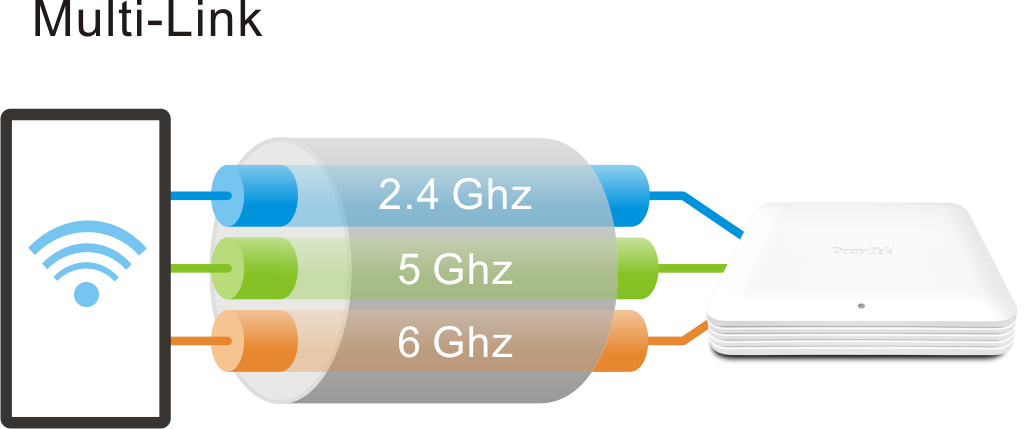
Wi-Fi 7
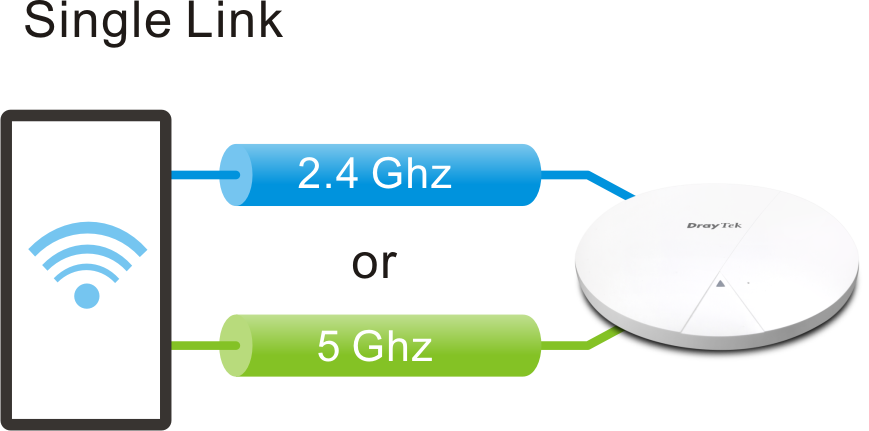
Wi-Fi 6
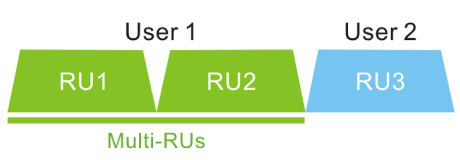
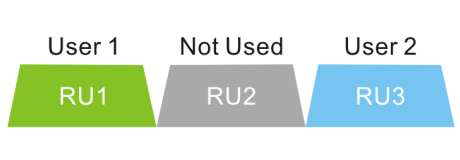
Multiple Resource Units (MRU) enhances the OFDMA technology first introduced in WiFi 6. In WiFi 6, each client is limited to a single Resource Unit, which may leave portions of the channel bandwidth underutilized. With WiFi 7 MRU, clients can be assigned multiple RUs concurrently, eliminating this restriction and enabling more efficient spectrum utilization. This ensures that more of the available spectrum is actively used, resulting in higher overall throughput and lower latency.
Wi-Fi 7
Wi-Fi 6
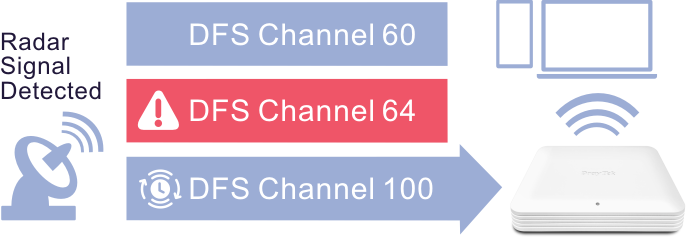
Zero-Wait DFS allows WiFi access points to monitor radar signals on DFS channels without interrupting service. The VigorAP 1070C features a dedicated 5G antenna for Zero-Wait DFS, enabling it to detect radar signals independently while maintaining active communication. When radar interference is detected, the AP can instantly switch to a standby block that has already passed the CAC.
In the example below, the VigorAP 1070C is operating on an 80 MHz block (Channels 52, 56, 60, 64). Once radar is detected on Channel 64, DFS rules require the entire block to be vacated. With Zero-Wait DFS, a standby block (Channels 100, 104, 108, 112) is ready, so the AP can instantly switch, ensuring smooth service.
Seamless Wi-Fi Roaming

Fast & Smooth Handover
- Switch between access points seamlessly with intelligent roaming support.
- Supports Over-the-DS (via wired backbone) and Over-the-Air handoffs for reliable connectivity during video calls, voice chats, and real-time applications.
Smarter Assisted Roaming
- Signal thresholds and AP steering help devices move to stronger APs and balance network loads.
- Enjoy stable performance across all devices, everywhere.
Always Optimized for Business
- From offices to campuses, seamless roaming ensures uninterrupted mobility.
- Reliable coverage built for the demands of modern workplaces.
WiFi Roaming
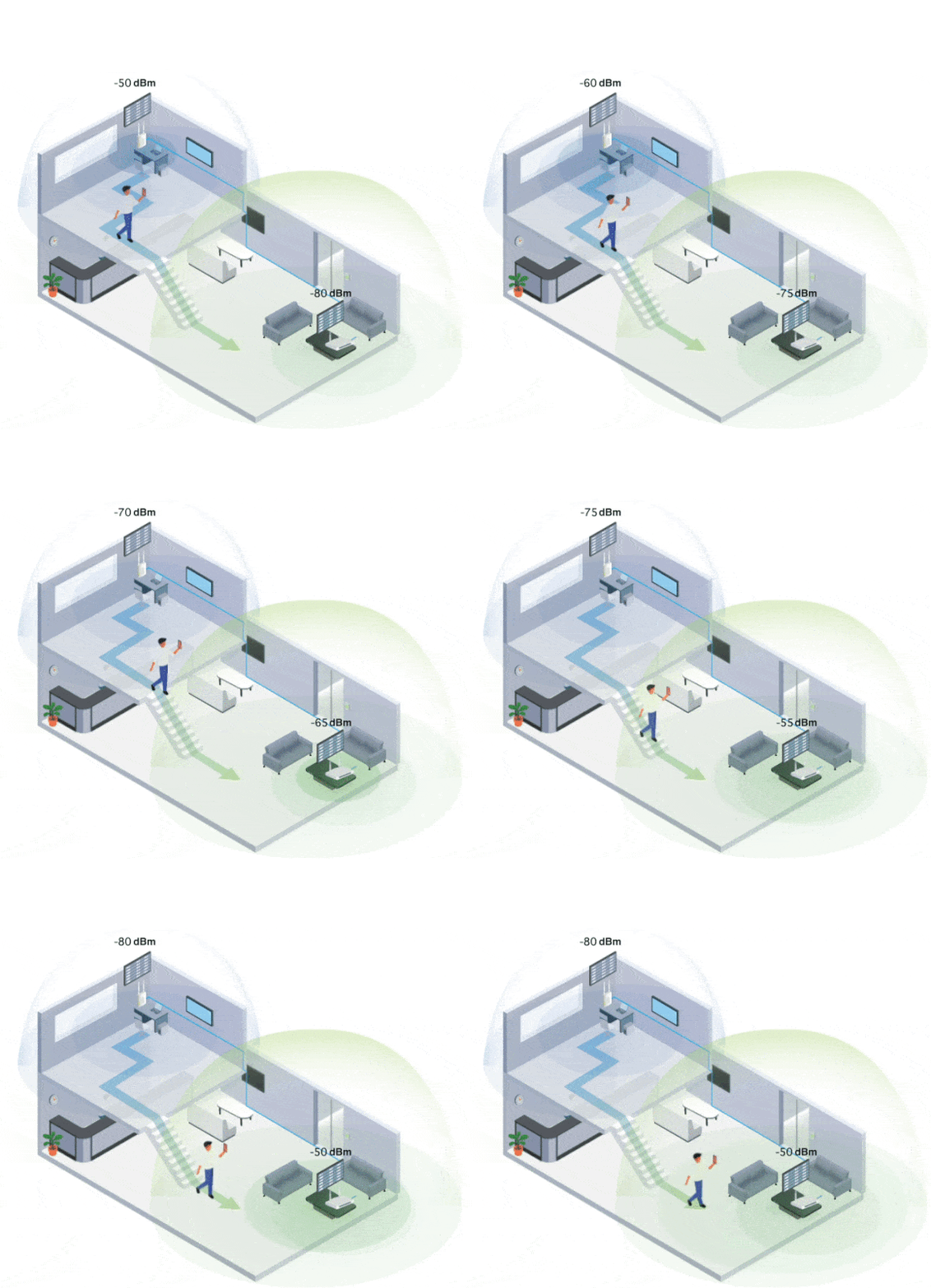
WiFi roaming is essential in environments with multiple APs to ensure consistent and reliable wireless connectivity. It enhances the wireless experience by addressing the sticky client issue and ensuring smooth WiFi roaming.
Roaming Protocol
The VigorAP 1070C supports advanced roaming protocols, including 802.11r, 802.11v, and 802.11k. These protocols allow WiFi clients to seamlessly switch to an AP or router with a stronger signal as they move within a network with multiple APs or routers. Clients compatible with these roaming protocols benefit from proactive and uninterrupted roaming.
Assisted Roaming
The "Minimum RSSI with Adjacent AP" feature in the VigorAP ensures clients are disconnected only when a nearby AP or router offers a stronger signal. This prevents unnecessary disconnections and keeps clients connected to the most optimal access point.
DrayOS 5 Virtual Controller
DrayTek’s business solution combines Multi-WAN Routers, Multi-Giga Switches, and VigorAPs to build a reliable backbone. Virtual Controller provides centralized management for VigorAP and VigorSwitch on the LAN side.
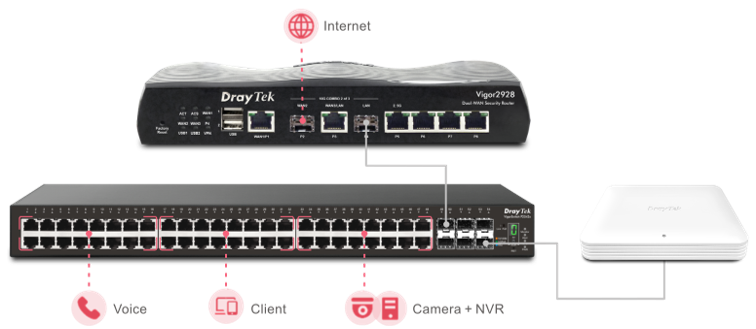
Discover devices automatically
Connect APs to the LAN, router detects instantly.
Provision profiles
When a new VigorAP joins the network, the settings are automatically provisioned without manual setup.
Monitoring
Centralized view to check if managed APs are online.
System Maintenance
Reset, backup, or reboot APs directly from the router UI
Management Solution
Wireless Virtual Controller
Mesh
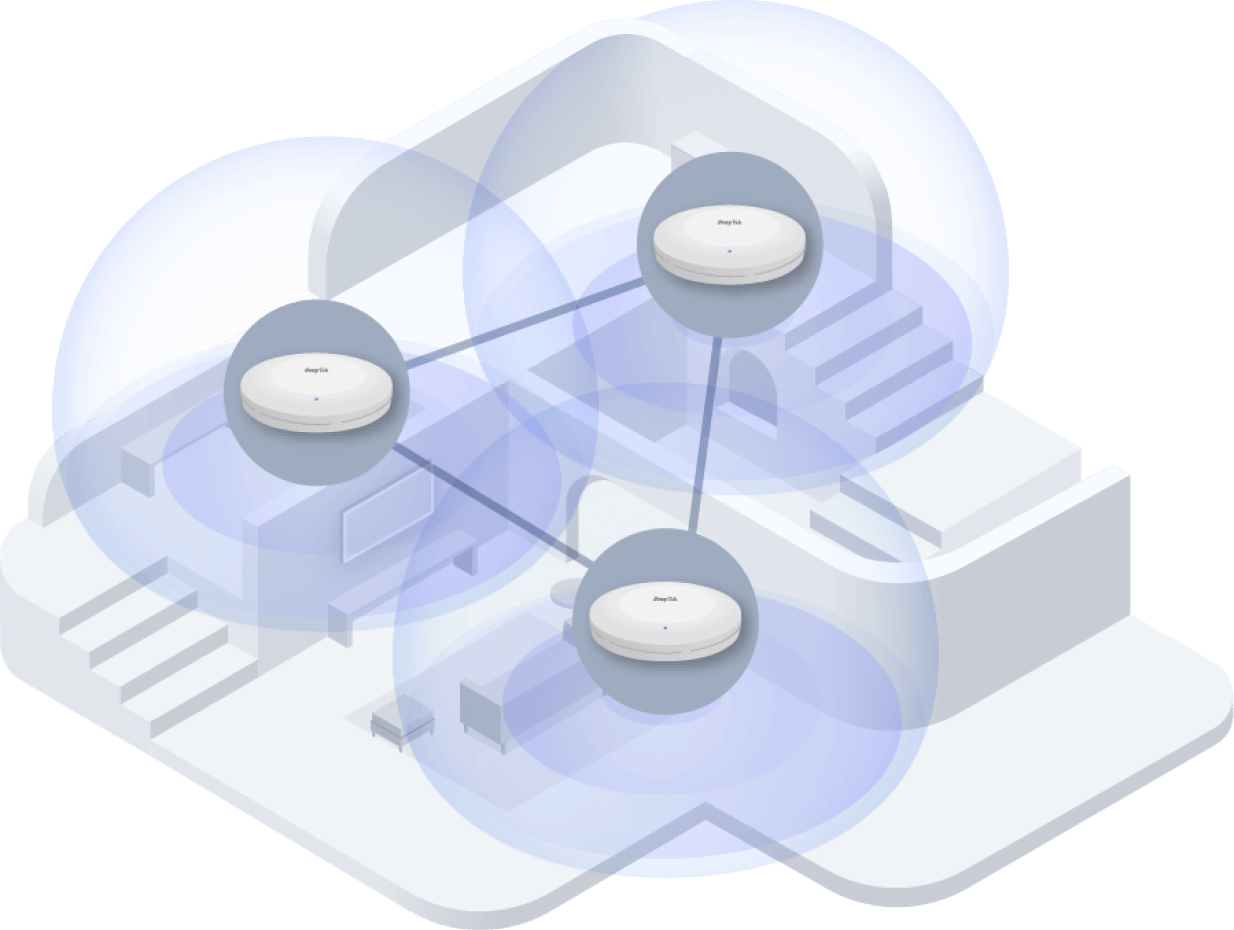
- 1 Root + 7 Nodes (up to 8 APs)
- Up to 3 wireless hops (Auto Device Role)
- Wired Root AP failover and fallback
AP-Based APM
(AP
as Root)

- Auto Provision
- Zero Touch Deployment:
- Root AP: Manage up to 50 devices
- Node AP: Managed by Root AP
Router-Based APM
(AP as Node)
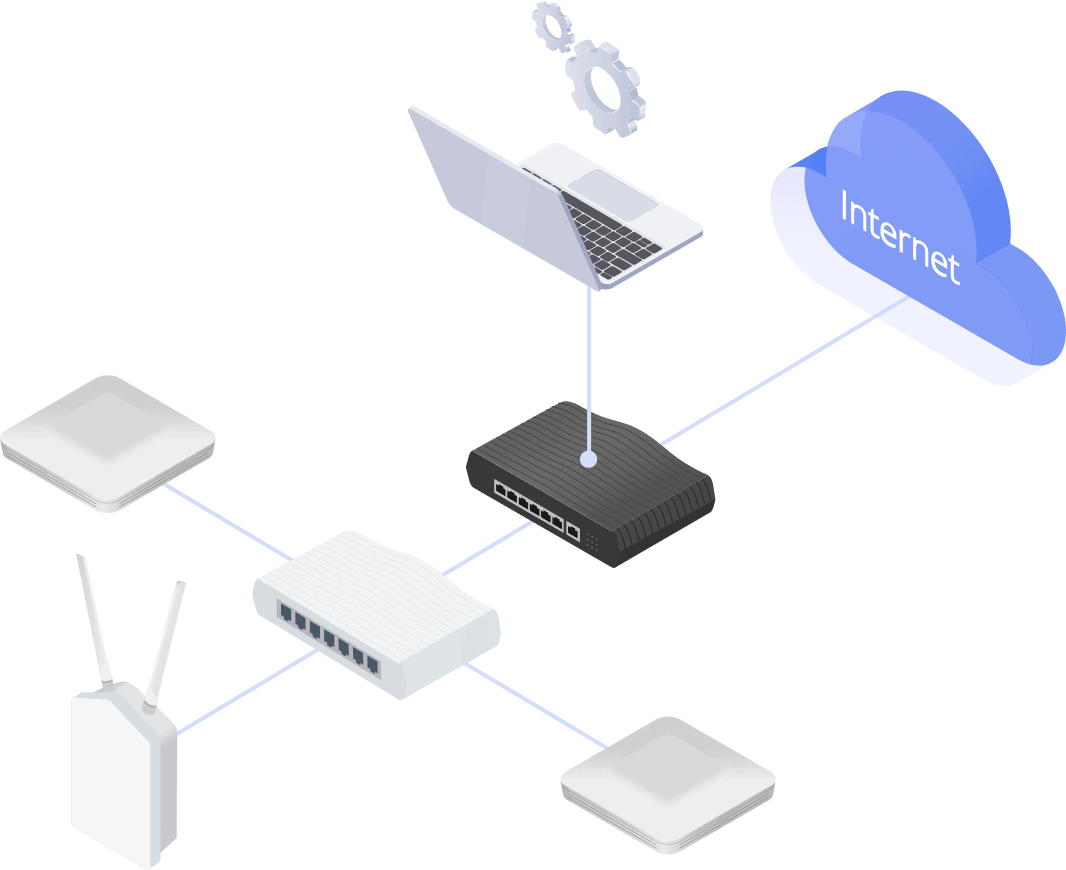
- Configuration Sync
- AP Monitoring & Maintenance
- Client Roaming
- Client Load Balancing
Software Solution
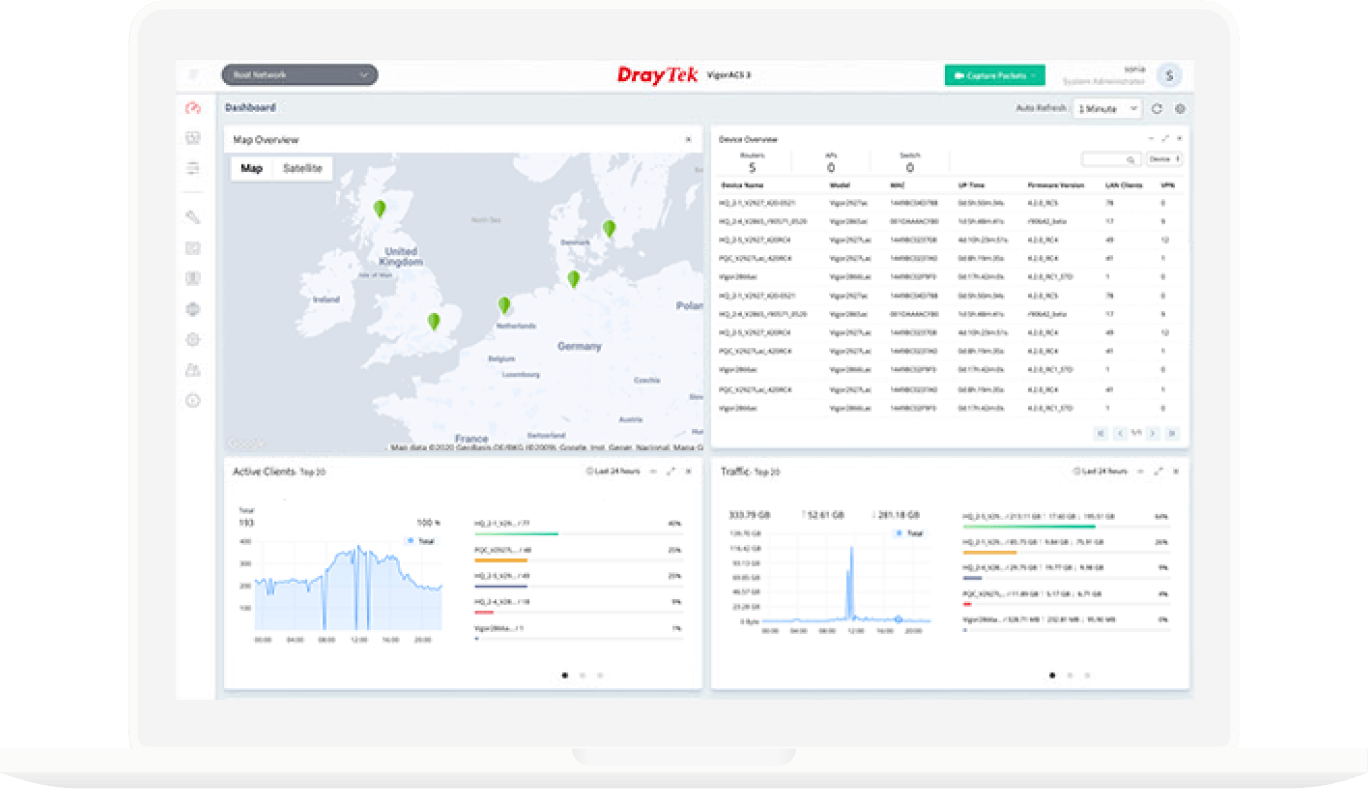
VigorACS 3
- Provisioning
- Monitoring
- Centralized Hierarchy View
- Alarm
- Remote AP/Switch/Router Maintenance
- Scheduled Maintenance
- Report
DrayTek Wireless APP
- Build Wireless Network
- Monitoring
- Parental Control & Client Management
- Mesh WiFi Setup
- Check signal strength and speed test
- Scheduled Maintenance

In the box
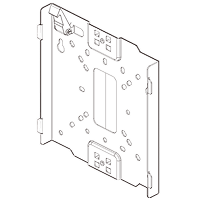 Mount Bracket
(for ceiling mounting) Screws
(for ceiling mounting)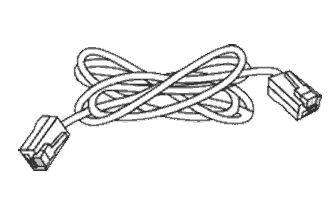 RJ-45 Cable (Ethernet)
 Quick Start Guide
Note: The stated throughput performance figures are the maximum derived from DrayTek internal testing, conducted under optimal conditions, with Hardware Acceleration enabled where available. The actual performance may vary based on network conditions and activated applications.