
Specify a Source IP for NAT Port Forwarding Rules
Vigor Router enhances the Source IP options in Configuration > NAT > Port Forwarding, providing greater flexibility for access control.
Administrators can specify which clients are allowed to access a Port Forwarding rule by selecting one of the following source types:
- IP
- IP Object
- IP Group
- Hostname
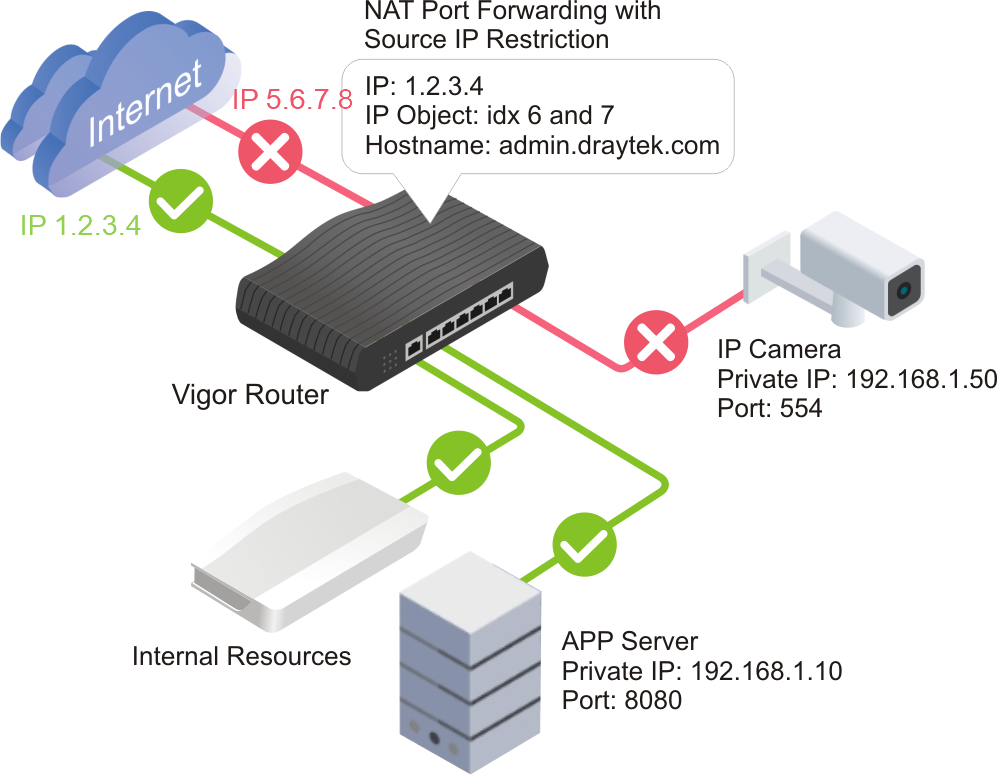
In addition to the traditional IP, IP Object, and IP Group options, Vigor Router now supports Hostname. This makes Port Forwarding rules easier to manage, especially in DHCP environments where client IP addresses may change over time.
By selecting the appropriate source type, administrators can create more flexible and maintainable Port Forwarding rules based on their network requirements.
Steps:
1. Configure Port Forwarding
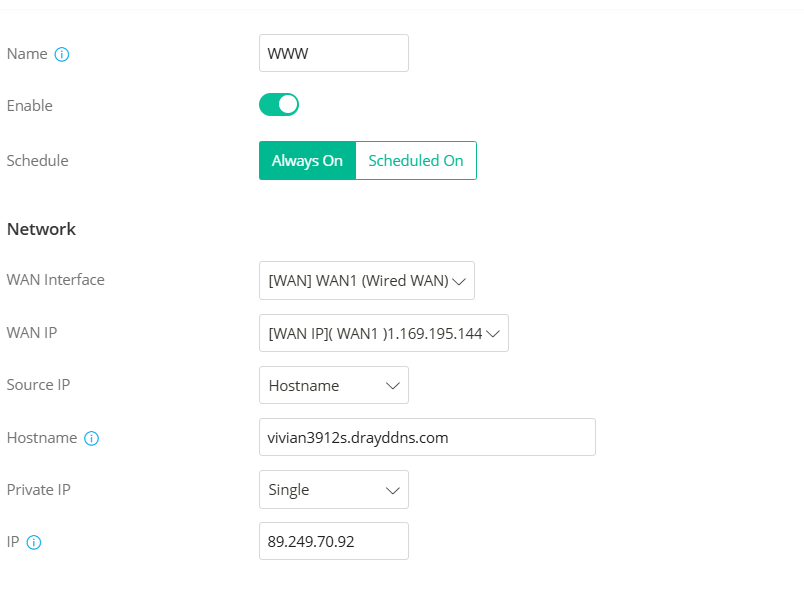
Go to Configuration > NAT > Port Forwarding and click +Add to create a new profile.
- Enter a Profile Name.
- Toggle Enable.
- Select the WAN Interface and WAN IP.
- Select the Source IP type. This example uses Hostname.
Available Source IP options:
- IP – Specify a single IP address.
- IP Object – Select a predefined IP Object.
- IP Group – Select a predefined IP Group.
- Hostname – Specify a client device by its hostname.
- Select the Private IP Type.
- Enter the Private IP, which is the internal server's IP address.
In the Port Forwarding section, click +Add to define the port range and protocol to be forwarded to the server, then click Apply to save the configuration.

Note
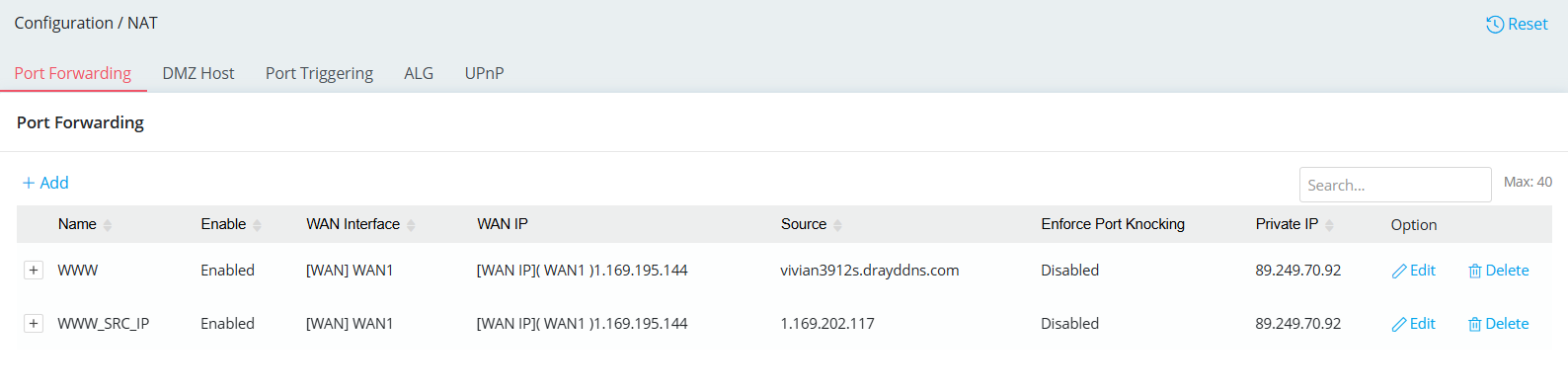
If the server needs to be accessible by multiple different sources, repeat the configuration process to create additional rules for each unique Source IP.
2. Verification
To verify the configuration, attempt to access the forwarded service from a client device that matches the specified Source IP or Hostname.
The connection should be successfully forwarded to the internal server when the source matches the configured rule.
Published On:2026-07-22
ShareWas this helpful?