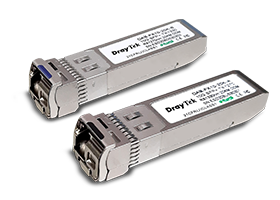
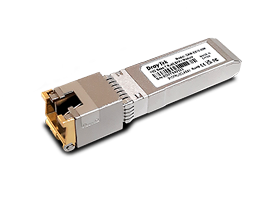
The DrayTek VigorSwitch P2542x features 48 Gigabit Ethernet LAN ports and 6 SFP+ 10Gbps fiber links. The built-in PoE+ capacity can deliver power to all 48 LAN ports, with PoE scheduling and priority monitoring features to ensure dependentable operation of connected devices. The dual input of both DC and AC power offers enhenced flexibility for diverse deployment.
Supporting advanced Layer 3 features, including DHCP Server and VLAN outing, the VigorSwitch P2542x enhances network efficiency and ensures your LAN continues to operate even when the gateway is offline, making it an ideal core switch for SMEs/SMBs.
48x PoE/PoE+
10/100/1000Mbps Ethernet, RJ-45
6x 10G SFP+
1000Mbps/10Gpbs fiber slot
400 watts
PoE Power Budget
216 Gbps
Switching Capacity
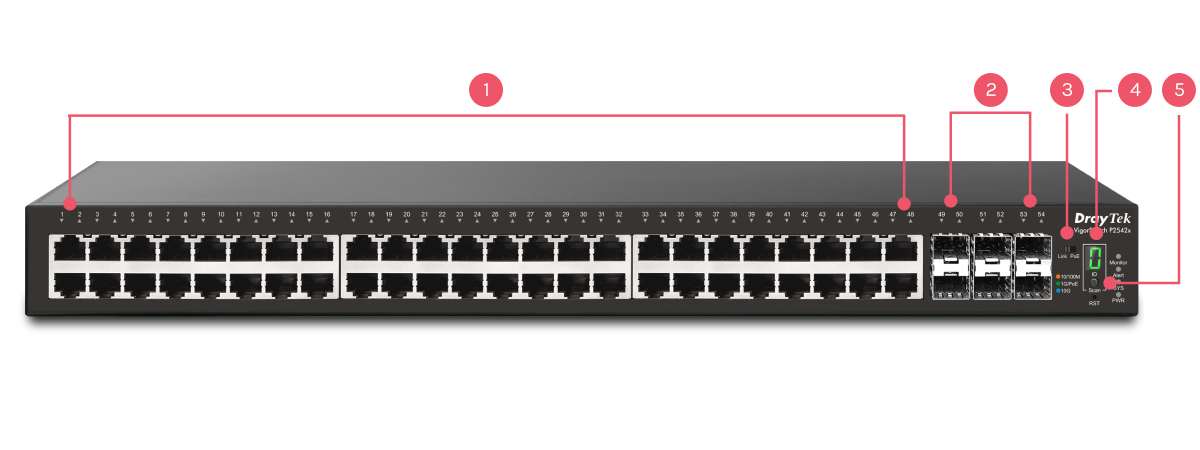
148x PoE/PoE+ Gigabit Ethernet
26x SFP+ Port
3Link/PoE LED Slide Switch
4Stack ID Indicator
5Stacking Button
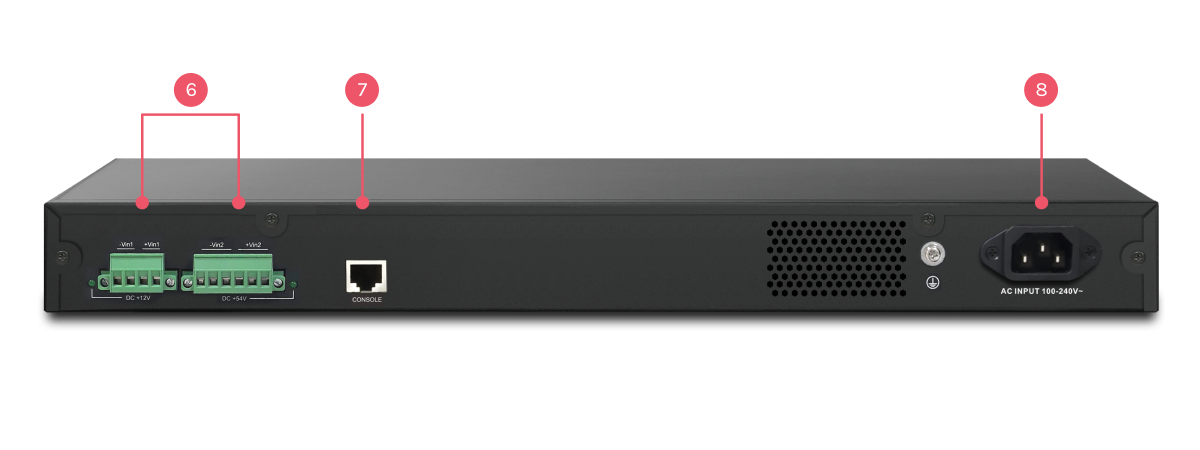
62x DC Power Socket (backup usage)
7Console Port
8Power Socket
Key Features

PoE (Power over Ethernet)
Deliver power and data over one ethernet cable, turn on/off the PoE device periodically with PoE Schedule.

10G SFP+
Provides 10G-capable fiber SFP+ ports for aggregation or uplinking to the core switches.

ONVIF-Friendly
Recognize the ONVIF devices, display surveillance topology, provide UI for video streaming and device maintenance. Learn more

Wire-Speed VLAN Routing
Improve overall network performance by using VigorSwitch P2542x to route the inter-VLAN traffic directly and offload the router.

IPv6 Ready
VigorSwitch P2542x supports IPv6 by offering MLD Snooping, IPv6 ACL, and IPv6 DNS Resolver.

Auto Surveillance & Voice VLAN
Recognize traffic from IP cameras and IP phones automatically and add CoS tag for QoS prioritization.

Web-Based GUI
Easily manage and monitor the network through the web-based console with graphics showing ports and hardware status.

IP Conflict Prevention
Improve network stability by avoiding IP conflicts caused by a misconfigured or malicious host. Learn more

Multiple Admin Accounts
Multiple Admin accounts with two levels of administrator privilege.

Access Control
VigorSwitch P2542x supports ACL by IP/MAC and 802.1x port access control with RADIUS to filter unauthorized hosts.

Central Switch Management
Set up VLAN easily from the router and get a centralized hierarchy view of the switches. Learn more

QoS (Quality of Service)
Improve the performance of critical traffic by prioritizing the traffic with CoS, DSCP, and IP Precedence tag.

Energy-Efficient Ethernet
Compliant with IEEE 802.3az to reduce power consumption.

LLDP-MED
Automatically detects VoIP devices, simplifies VLAN assignment, and prioritizes voice traffic for smoother VoIP deployment.

Stacking
Stacking lets multiple switches function as one, improving network management, scalability, and resilience.
Advanced Layer 2+ Features
DHCP Server & VLAN Routing
Improving LAN Network Sustainability and Efficiency,
with or without a Router
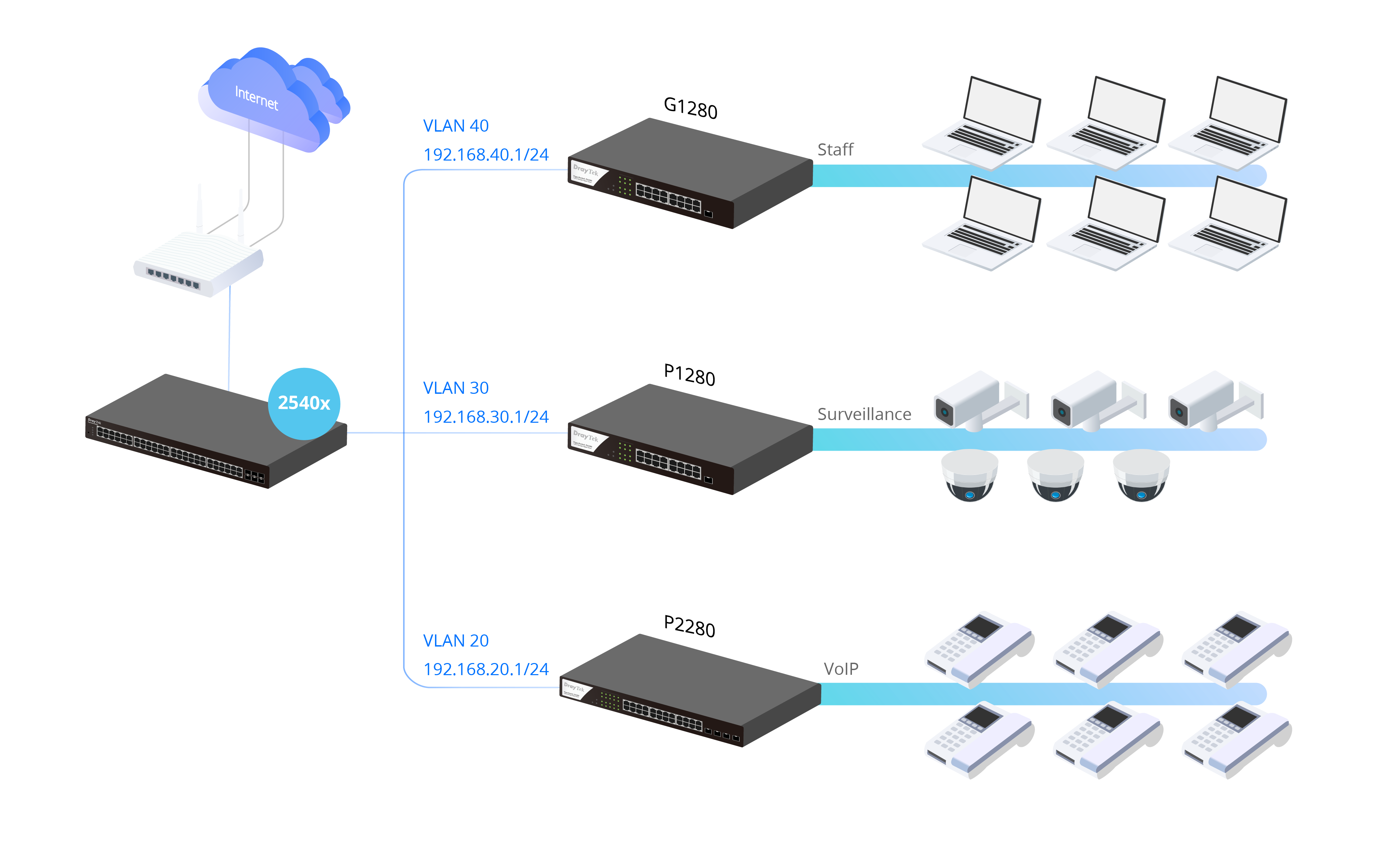
In a large LAN network, much traffic doesn’t go to Internet, but to the servers in LAN. For example, IP cameras store videos to NVR, IP phones register to PBX, clients access to file server, etc.
L2+ switch with DHCP server and VLAN routing functionalities, as the device receiving traffic before the router, is ideal to share the loading of your router and to help your LAN network to work continuously even when the router is offline.
As a DHCP server, VigorSwitch assigns dynamic IP addresses for up to 8 VLANs. With VLAN routing, VigorSwitch supports up to 512 routes.
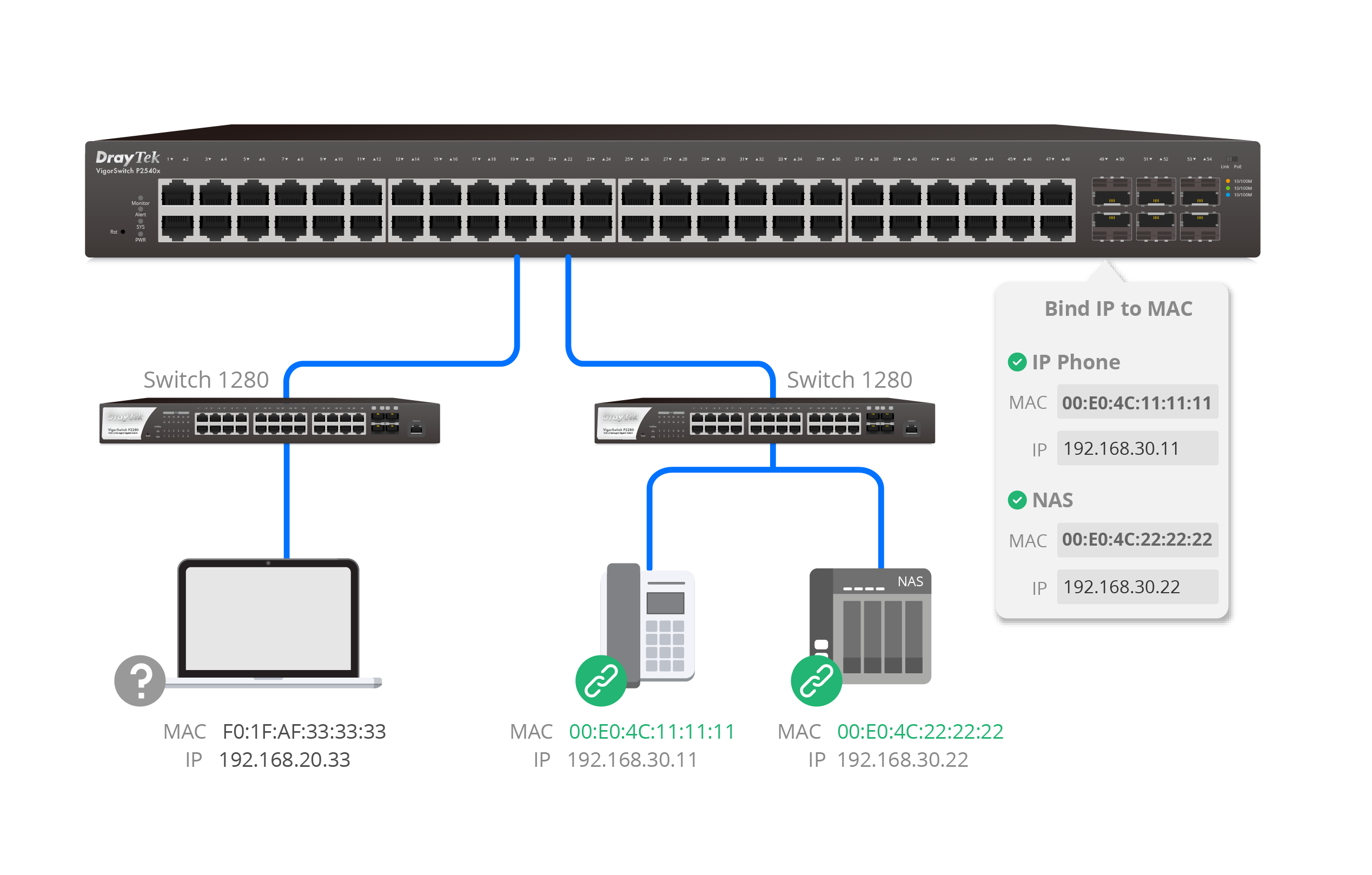
Bind IP to MAC
Reserve an IP Address for an Important Device
As a DHCP Server, layer 2+ VigorSwitch helps reserving IP addresses for your important devices that most users will access frequently.
Stacking — Build a Resilient & Flexible Network
With stacking support (Since firmware v2.10.2), up to 4 VigorSwitch P2542x units can operate as one logical switch*. It enables centralized management, unified configuration, and seamless failover, allowing the network to grow stronger, smarter, and always stay online.
Centralized Management by Single IP
Manage all stacked switches under one IP.
Scalability & Expansion
Stack up to 4 units to scale up to 192 Ethernet ports and 16x 10G SFP+ uplinks.
Config & Firmware Sync
Auto-sync VLAN, QoS, and firmware for consistent setup.
Resilience & Failover
Master switch failure ensures nonstop operation.
Integrated Security
DHCP Snooping, ARP Inspection, and Port Security across the stack.
Layer 2 Feature Integration
STP, LAG, and GVRP for redundancy and VLAN automation.
Unified Monitoring & Diagnostics
Real-time traffic view, SNMP, Syslog, and Port Mirroring support for remote monitoring and troubleshooting.
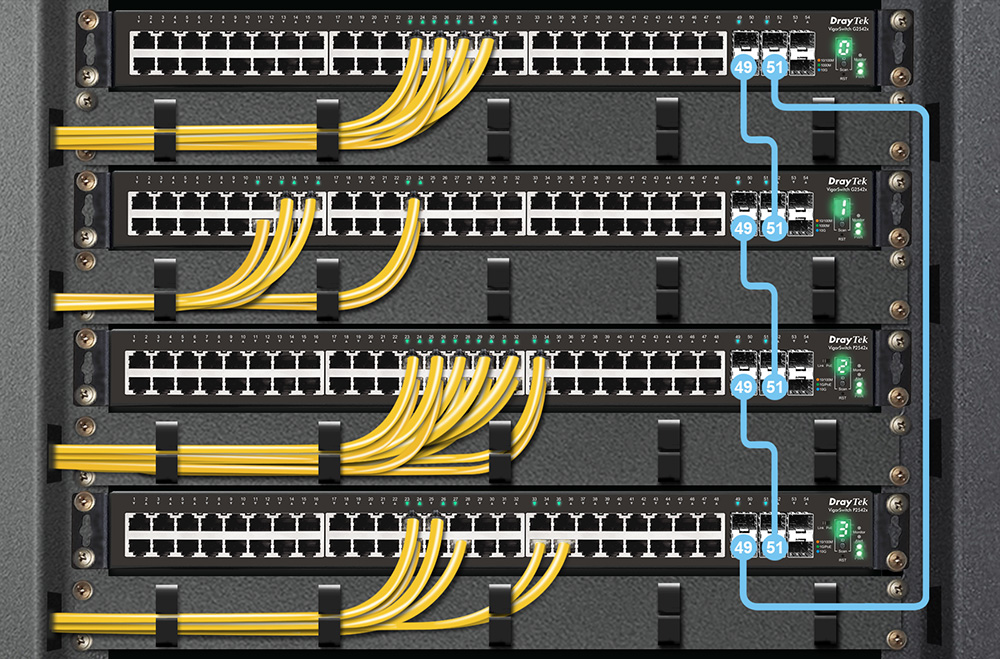
Stacking is supported only between models with the same port configuration (e.g., P2542x with G2542x), not across different series.
ONVIF-Friendly
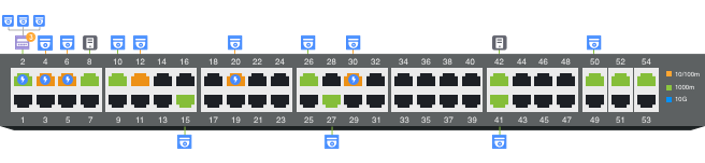
Recognize the ONVIF devices in different VLANs, display surveillance topology, provide UI for video streaming and device maintenance.
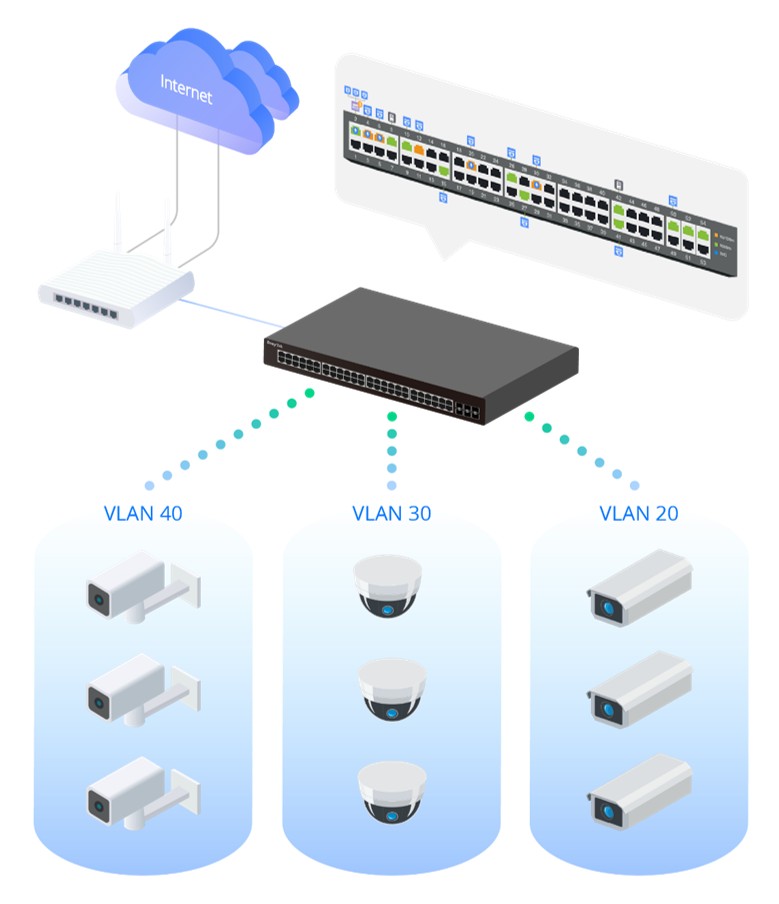
Centralized Hierarchical View
VigorSwitch automatically detects ONVIF devices, and displays the topology of connecting IP cameras and NVRs.
Images Viewing
Images filmed by IP cameras can be viewed directly on VigorSwitch.
Device Management
Support ONVIF devices basic configuration/maintenance remotely via VigorSwitch. Such as remote reboot, factory reset, network settings, etc.
ONVIF Snapshot Alert
Monitor. Detect. Recover.
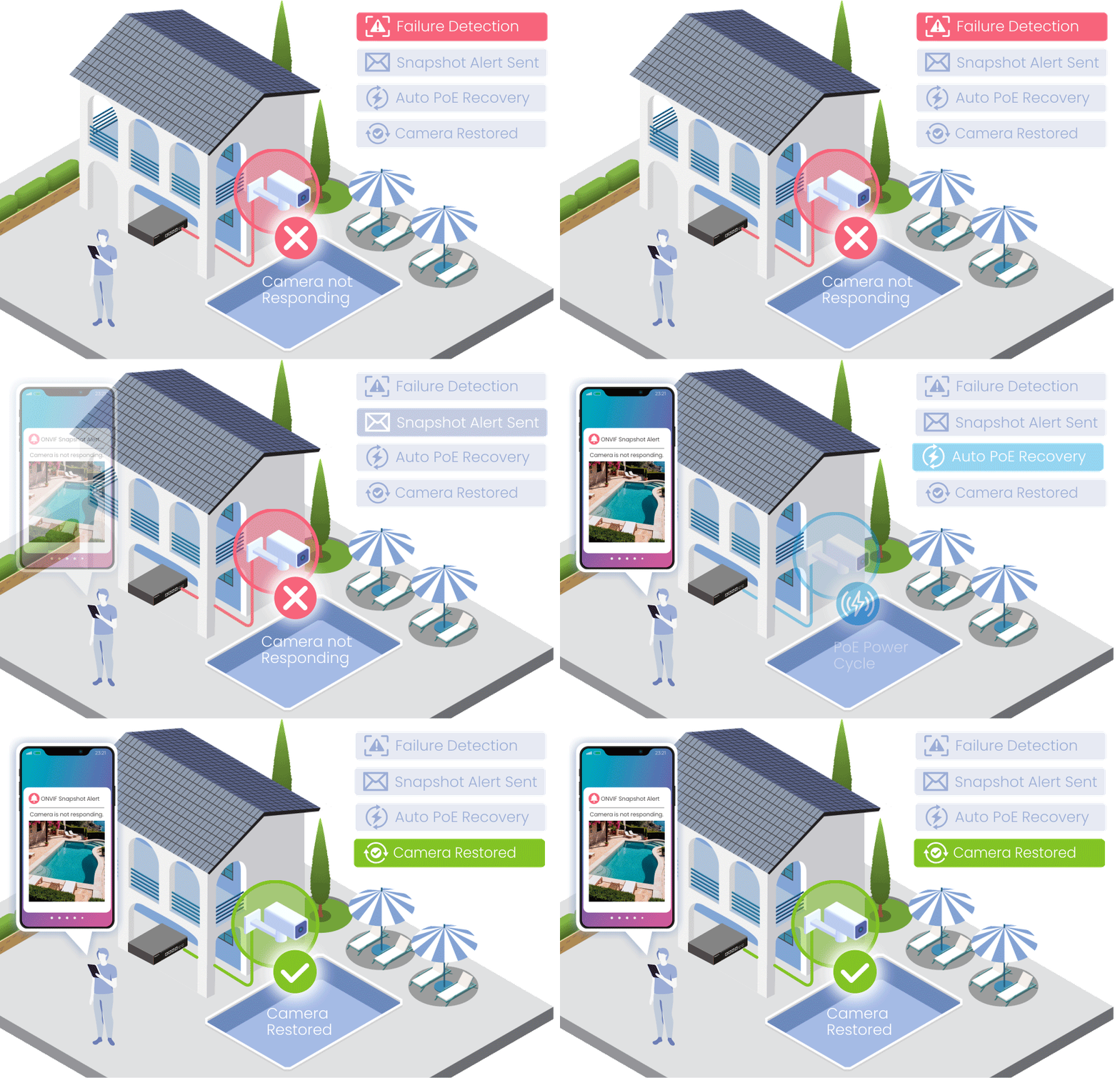
Automatically monitor ONVIF cameras and receive alerts when a camera becomes unavailable.
The latest snapshot helps identify the affected location quickly, while PoE auto recovery can help restore camera operation automatically.
Key Benefits
- Snapshot Alerts
- Camera Monitoring
- Auto Recovery
- Faster Response
- Reduced Downtime
IP Conflict Detection & Prevention
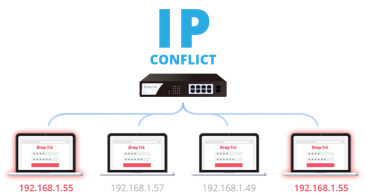
Conflict Detection
Keep an eye on the environment and notify the administrator of any IP conflicts.
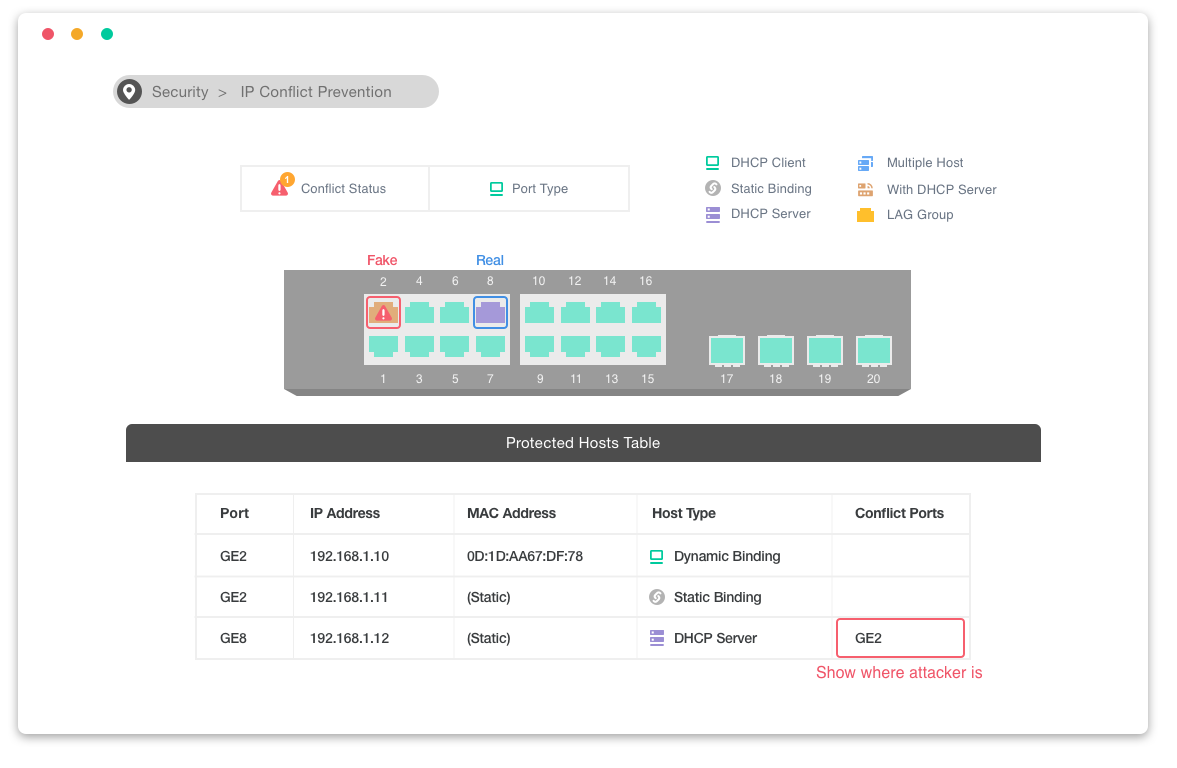
Conflict Prevention
For a more stable network, VigorSwitch can't only detect but block the misconfigured or malicious IP host.
Device Check
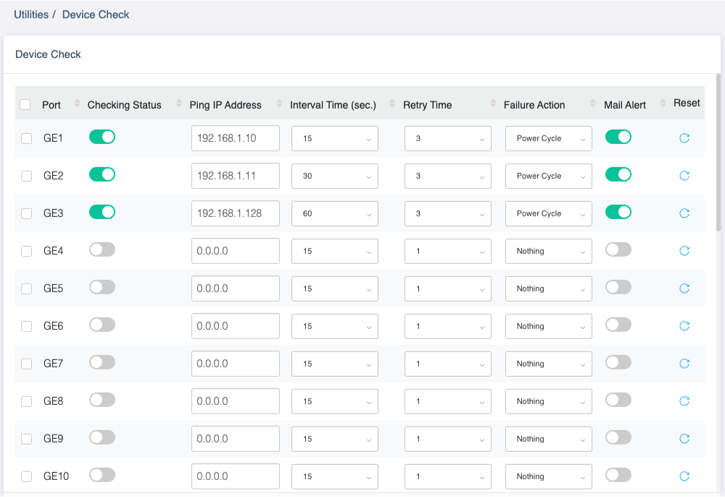
Ping Check for LAN Devices
VigorSwitch keeps pinging on the LAN devices. Once the device stops responding to the ping, PoE cycle a port (PoE model only) or send email alert.
LAN Management
DrayTek provides an all-in-one management platform for Vigor devices on the LAN side.
Automatic Device Discovery
All you need is connect the VigorSwitch to the LAN side of the router, Vigor Router will then discover the devices to be managed.
Provisioning
Switch profile may be set on the Vigor Router. VLAN and scheduled ports control may be set and provision to the VigorSwitch remotely.
Monitoring
VigorRouter provides a hierarchical centralized view of managing devices, you may always check if the managed VigorSwitch is online and if there's log and alert happens.
System Maintenance
You may perform a factory reset, save/restore a configuration backup, or trigger a remote reboot directly on the VigorRouter. There's no need to log in to each device's management page.
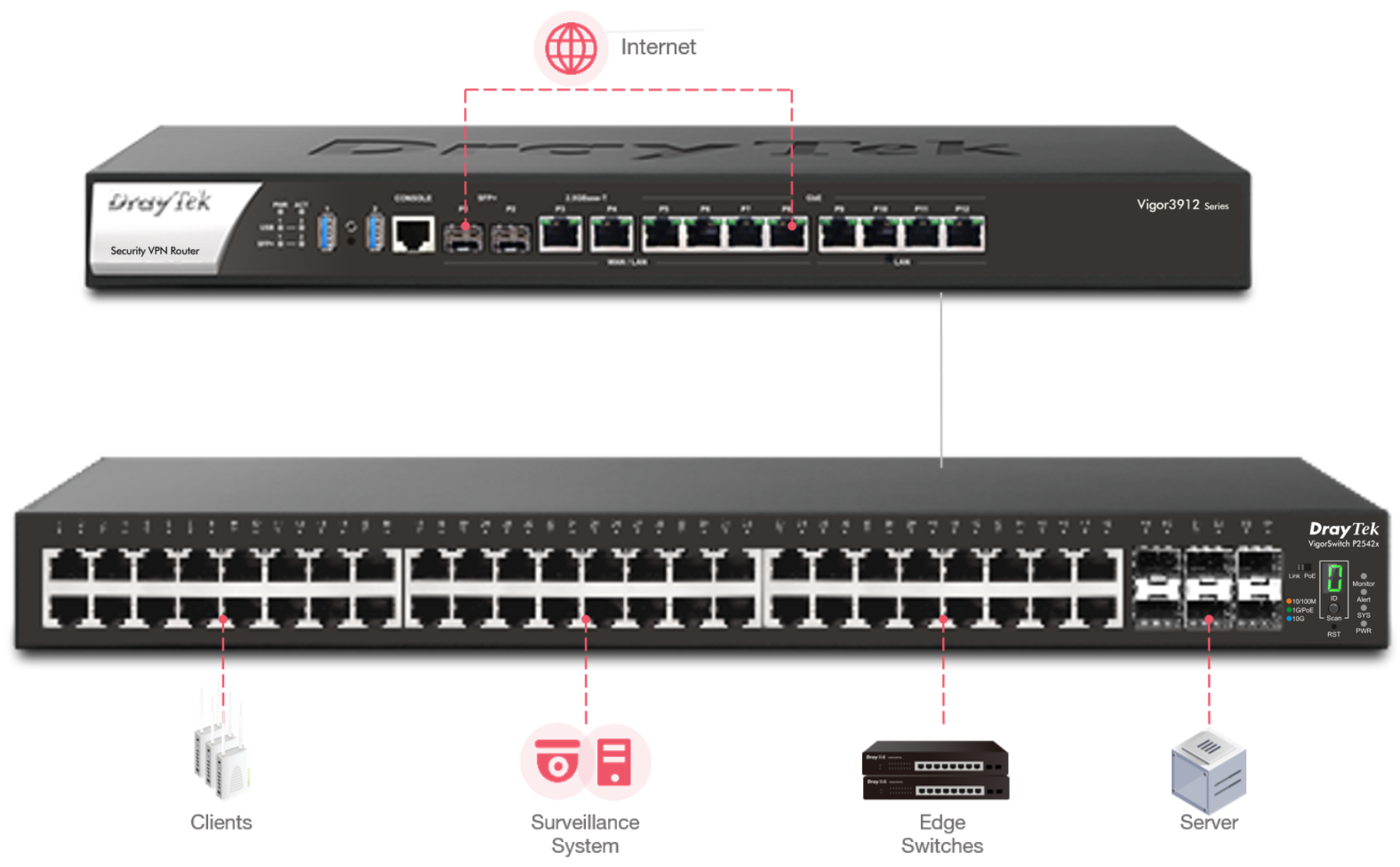
Management Solution
All-in-One Management
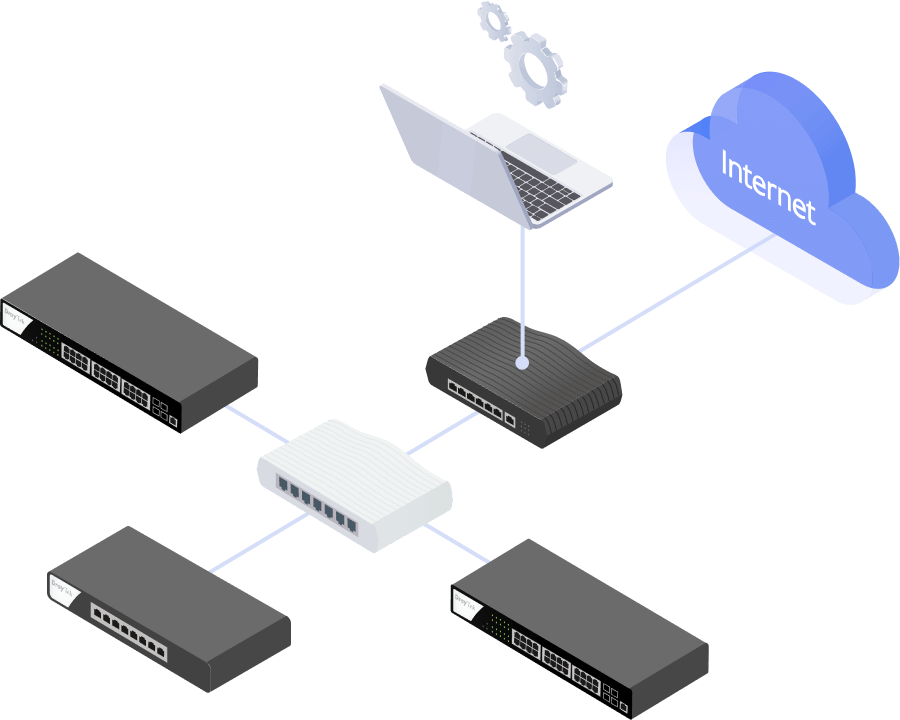
Vigor Router SWM
Auto-Discovery, Provisioning, Monitoring, Centralized Hierarchy View, Reboot PoE Devices Remotely, Quick VLAN Configuration
Software Management
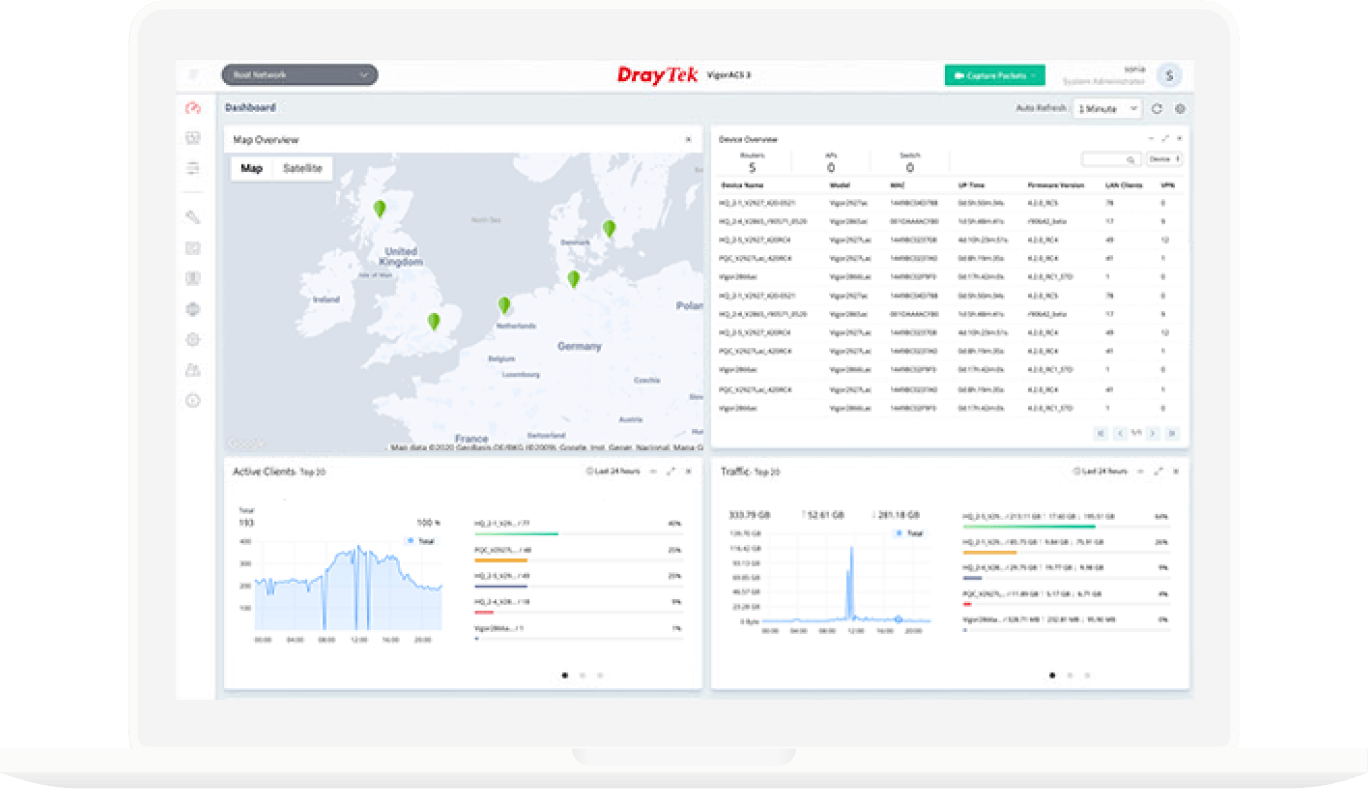
VigorACS 3
- Provisioning
- Monitoring
- Centralized Hierarchy View
- Alarm
- Remote AP/Switch/Router Maintenance
- Scheduled Maintenance
- Report
 Rack Mount Kit
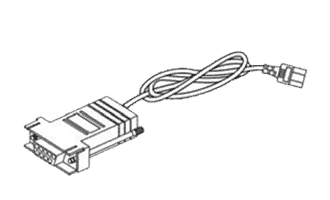 Console Cable
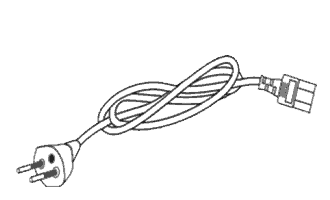 Power Cord
 Quick Start Guide

Note: The stated throughput performance figures are the maximum derived from DrayTek internal testing, conducted under optimal conditions, with Hardware Acceleration enabled where available. The actual performance may vary based on network conditions and activated applications.